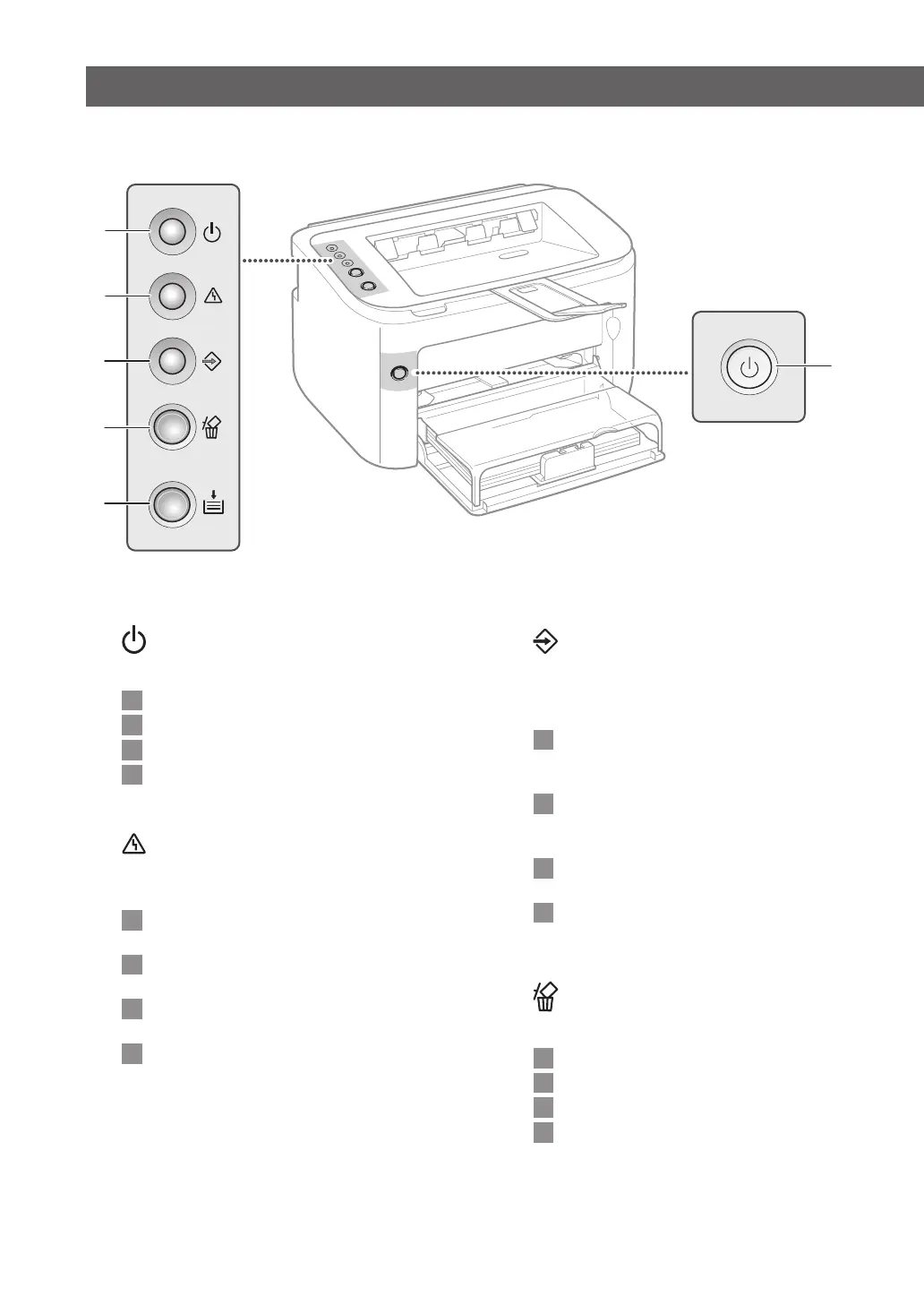
6
1
(Power) indicator
Lights up when the machine is powered ON.
Es
Se ilumina cuando el equipo está encendido.
Kr
기기에 전원이 켜지면 표시등이 켜집니다.
T
h
V
n
Sáng lên khi máy được BẬT.
2
(Alarm) indicator
Lights up or ashes when a paper jam or other
error occurs.
Es
Se enciende o parpadea cuando hay un
atasco de papel u otro error.
Kr
용지가 걸리거나 다른 오류가 발생하면
불이 켜지거나 반짝거립니다.
T
h
V
n
Sáng lên hoặc nhấp nháy khi kẹt giấy hoặc
xảy ra lỗi khác.
3
(Job) indicator
Lights up when the machine is printing or waiting
for data, and ashes when printing has been
canceled.
Es
Se enciende cuando el equipo está
imprimiendo o esperando datos y parpadea
cuando se cancela la impresión.
Kr
기기가 인쇄중이거나 데이터를 기다리고
있는 경우 불이 들어오며, 인쇄 작업이
취소되면 깜빡거립니다.
T
h
V
n
Sáng lên khi máy đang in hoặc đang chờ dữ
liệu, và nhấp nháy khi công việc in đã bị hủy.
4
(Cancel Job) key
Press this key to cancel printing.
Es
Pulse esta tecla para cancelar la impresión.
Kr
인쇄를 취소하려면 이 키를 누르십시오.
T
h
V
n
Ấn phím này để hủy công việc in.
Indicators
1
2
3
4
5
6














 To Next Page