Before setting up the machine:
1 Place the machine on a flat, stable surface.
2 Remove all shipping tape from the exterior of the machine.
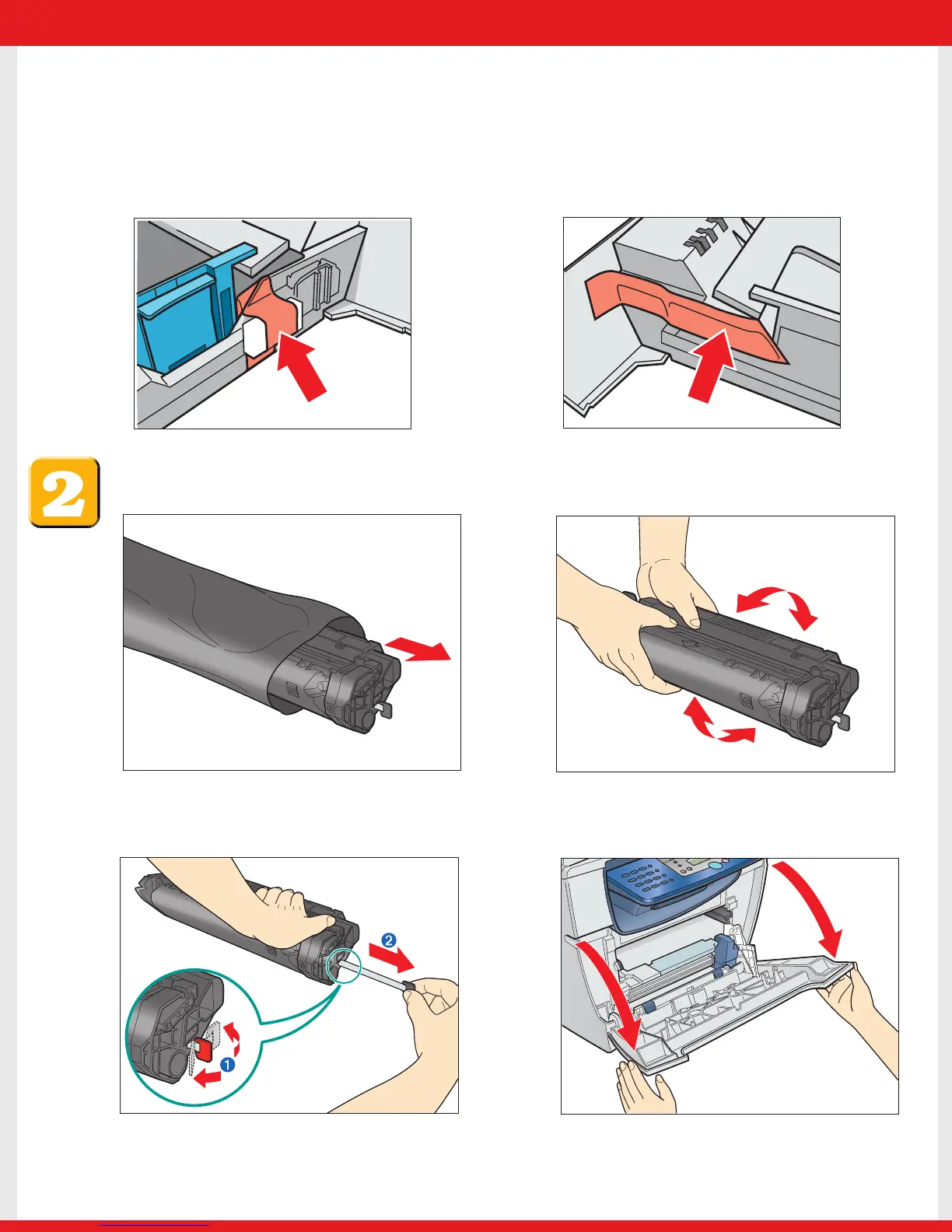
Referring to the following figure, remove the tape and spacers on both sides of the
cassette housed in the machine.
Install the cartridge.
4 Pull open the front cover.
1 Remove the cartridge from the bag. Keep the
bag in a safe place for future use.
2 Gently rock the cartridge several times to
evenly distribute the toner inside.
3 Hold the cartridge on a flat stable surface with
one hand, and break the tab ➊ and pull out
the seal ➋ completely with the other hand.
E227ME (MF5770) US2 SI.qxd 2/1/05 12:05 PM Page 2










 To Next Page