7 8 9 10 1211 131
En
Es
Fr
Pt
7
Fax Setup
The first time you select <Fax> in the Home screen, the Fax Setup Guide starts.
Setup Procedure
13
* These settings do not appear on models without a fax function.
1. Select <Fax> on the Home screen.
2. Select <Set Up Now>.
3. Select <Next>.
4. Enter the Unit Telephone Number and
select <Apply>.
5. Select <Next>.
6. Enter the Unit Name (name and company
name, etc.) and select <Apply>.
7. Select the receive mode that best suits your
telephone connection and the way you
receive calls.
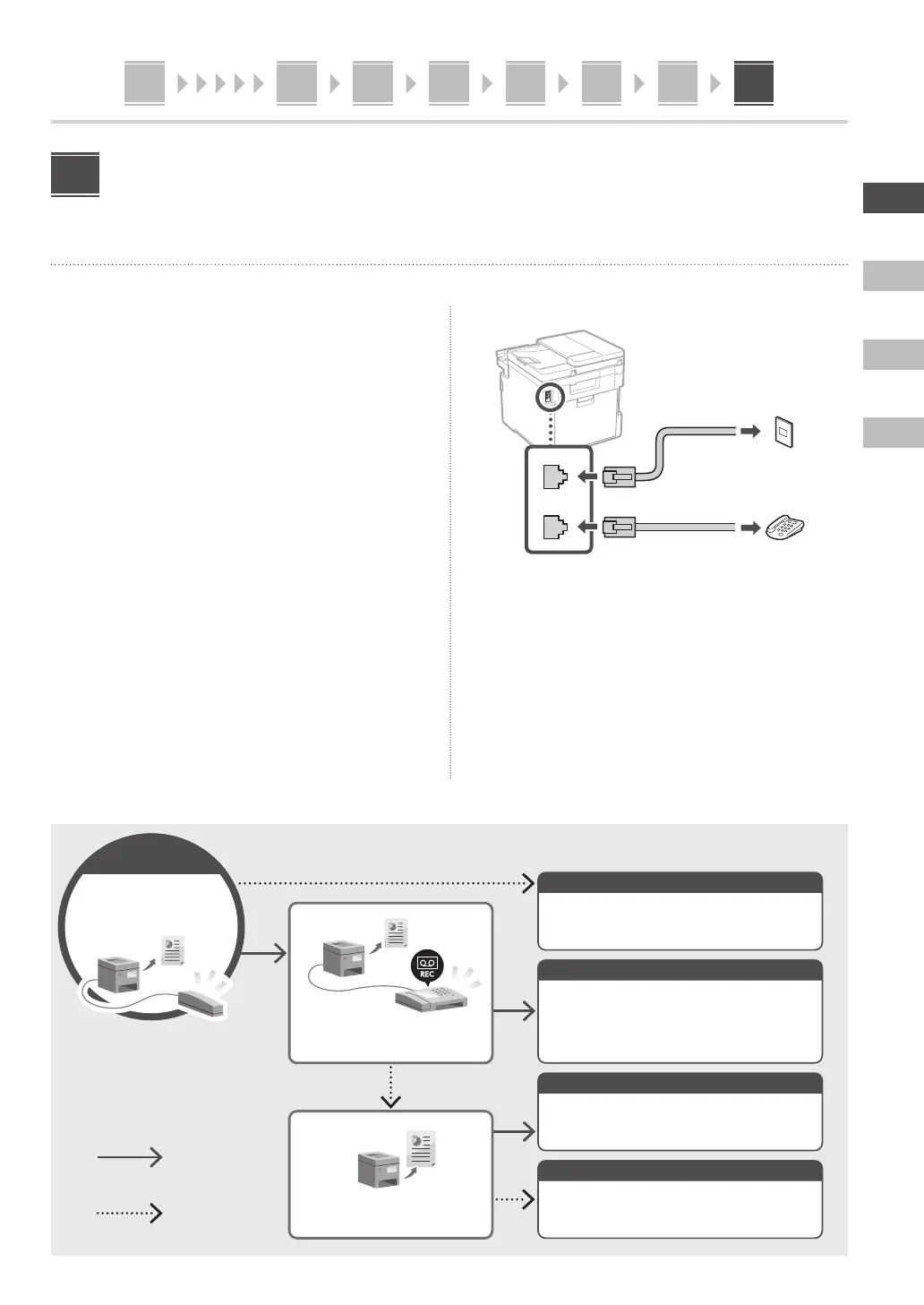
Refer to the illustration below and select <Yes> or
<No>. Finally, select <Apply> to set the receive
mode.
8. Connect the machine to a telephone line.
LINE
HAND
SET
EXT.
Rear
Telephone line jack
Telephone
9. When you have completed the connection,
select <End>.
10. Select <Yes>.
Selecting the Receive Mode
Start
Do you want to
connect a telephone?
Yes
No
Do you want to use an
answering machine?
Do you want to receive faxes
automatically?
Manual
Auto
Answering Machine
Fax/Tel (Auto Switch)
Can be used for both fax and phone. Allows you
to check for incoming faxes and receive them
manually.
Can be used for both fax and phone. Receives faxes
automatically.
Can be used for both fax and phone. Uses an
answering machine function to record phone
messages while you are away. Receives faxes
automatically.
For fax use only. Receives faxes automatically.








 To Next Page