
 Need help?
Do you have a question about the Canon imageRUNNER 2320 and is the answer not in the manual?
Details fundamental machine operations and features.
Guides on resolving common operational issues and errors.
Covers network setup and connection procedures.
Specifies system requirements for using the user manual disc.
Explains how to navigate and use the disc menu.
Introduction to initial machine setup and precautions.
Covers fundamental machine functions and features.
Details regular upkeep procedures for the machine.
Guides on resolving issues and error messages.
Guidance on navigating and understanding the manual.
Explains symbols and control panel keys used in the manual.
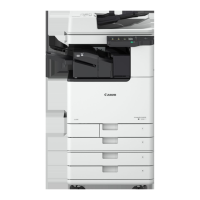
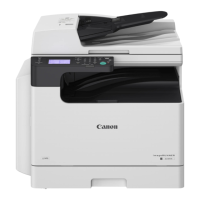
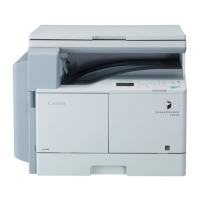
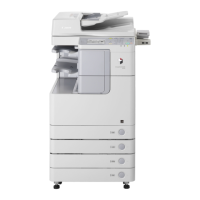
Shows illustrations of the machine with optional equipment.
Lists abbreviations used throughout the manual.
Defines key operational terms for clarity.
Safety information regarding laser components.
General safety and handling advice.
Details labels on the laser scanner unit and their meaning.
Information on energy efficiency compliance.
Indicates compliance with the IPv6 Ready Logo.
Disposal guidelines for electrical equipment.
Lists product trademarks and copyright information.
Terms and conditions for third-party software.
Licensing terms for specific software modules.
Information subject to change without notice.
Legal restrictions on scanning/reproducing documents.
Safety precautions for machine installation.
Precautions for machine installation location.
Safety guidelines for power supply usage.
Safety precautions for handling the machine.
Precautions to prevent personal injury during operation.
Warnings about laser beam hazards.
Safety notes for maintenance procedures.
Important warnings and cautions for maintenance.
Warnings about toner cartridge handling and safety.
Warning for cardiac pacemaker users.
Precautions for machine placement and moving.
Identification of machine components.
How to turn the machine on and off.
Connecting the machine to a computer or network.
Guidelines for proper installation placement.
Specific locations to avoid for installation.
Avoid locations with rapid temperature shifts.
Guidance on safe power supply usage.
Ensures sufficient space for machine operation.
Instructions for safely moving the machine.
General safety measures for handling the machine.
Identifies external components of the machine.
Identifies internal components of the machine.
Explains control panel keys and display functions.
Lists optional paper trays, finishers, and feeders.
Steps to power on the machine.
Manages power to the control panel and Sleep mode.
Visual guide for connection setup.
How to connect the machine via USB.
How to connect the machine via network using Ethernet.
Steps to install the printer driver.
Prerequisites for printer driver installation.
Configuring printer options via the driver.
Steps to install the scanner driver.
Configuration steps for remote scanning.
Step-by-step guide for basic copying.
How to stop ongoing copy, print, or scan jobs.
How to position documents for scanning/copying.
Steps for printing from a computer.
Explains the machine's features and functions.
Details on copying features like Image Combination.
Connecting the machine to a network via Ethernet.
Customizing machine settings via Additional Functions.
Power saving modes and Sleep mode.
Protecting access via ID management.
Checking machine status and jobs.
Additional machine features like Auto Orientation.
Detailed instructions for platen glass use.
Instructions for using the automatic document feeder.
Positioning documents for copying.
Adjusting copy parameters.
Initiating the copying process.
Steps for printing from a computer.
Steps for scanning remotely.
Canceling jobs via the system monitor screen.
How to load paper into drawers.
Modifying drawer guides for paper size.
Procedure for replacing the toner cartridge.
How to resolve paper jams with on-screen instructions.
Explains error messages and their remedies.
Actions to take for service call messages.
Reasons and solutions for frequent paper jams.
Interpreting machine self-diagnostics.
Errors related to paper loading and size.
Remedies for paper loading problems.
Solutions for memory full errors.
Indicates low toner and replacement procedure.
Explains concurrent machine functions.
Lists supported paper types and their sources.
Details paper sizes supported by the machine.
Alphabetical listing of topics and their page numbers.





 To Next Page


 General