EasyManua.ls Logo

Canon imageRUNNER 2545i - User Manual

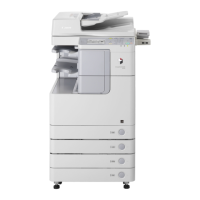
Canon imageRUNNER 2545i
118 pages
Print Icon
To Next Page IconTo Next Page
Loading...
User’s Guide
User’s Guide
Read this guide first.
ENG
Please read this guide before operating this product.
After you finish reading this guide, store it in a safe place for future reference.

Table of Contents

Other manuals for Canon imageRUNNER 2545i

Question and Answer IconNeed help?

Do you have a question about the Canon imageRUNNER 2545i and is the answer not in the manual?

Summary

Chapter 1 Machine Installation

Installation Location and Handling Precautions

Precautions for machine installation location and handling.

Safe Power Supply Guidelines

Guidelines for choosing and using a safe power supply.

Machine Handling Safety

Safety measures to take when handling the machine.

Machine Cable Connections

Instructions for connecting cables to the machine.

Chapter 2 Getting Started: Pre-Operation

Machine Power On;Off Procedures

Procedures for turning the machine on and off.

Function Setup Flow

Overview of setup procedures for various functions.

Chapter 3 Accompanying CD-ROMs and Software

User Manual CD-ROM Details

Details about the user manual CD-ROM and its contents.

UFRII LT Printer Software

Information on the UFRII LT printer driver software.

Optional PCL, PS, and Fax Software

Details on optional PCL, PS, and Fax driver software.

Chapter 4 Basic Machine Functions Guide

How to Make a Copy

Step-by-step guide to making copies.

Printing Operations

Instructions for printing from computer or USB media.

Sending Documents and Fax

Procedures for sending documents via email, fax, or server.

Scanning and Remote Machine Operation

How to scan documents and operate the machine remotely.

Chapter 5 Routine Maintenance Procedures

Paper Drawer Loading and Size Adjustment

How to load paper into drawers and adjust guides for different sizes.

Toner Cartridge Replacement

Steps for replacing the toner cartridge.

Machine Cleaning Procedures

Procedures for cleaning machine components like glass and rollers.

Consumables and Paper Stock

Information about consumables like paper, toner, ink, and staples.

Chapter 6 Troubleshooting Machine Issues

Clearing Paper Jams

Steps to resolve paper jam errors in various parts of the machine.

Service Calls and Machine Restart

Handling service call messages and restarting the machine.

Requesting Repairs and Contacting Support

How to request repairs and contact the Canon dealer.

Chapter 7 Appendix: Paper Stock and Index

Available Paper Stock Types

Details on available paper types and sizes for the machine.

Manual Index

An index to help locate specific topics in the manual.

Summary

Chapter 1 Machine Installation

Installation Location and Handling Precautions

Precautions for machine installation location and handling.

Safe Power Supply Guidelines

Guidelines for choosing and using a safe power supply.

Machine Handling Safety

Safety measures to take when handling the machine.

Machine Cable Connections

Instructions for connecting cables to the machine.

Chapter 2 Getting Started: Pre-Operation

Machine Power On;Off Procedures

Procedures for turning the machine on and off.

Function Setup Flow

Overview of setup procedures for various functions.

Chapter 3 Accompanying CD-ROMs and Software

User Manual CD-ROM Details

Details about the user manual CD-ROM and its contents.

UFRII LT Printer Software

Information on the UFRII LT printer driver software.

Optional PCL, PS, and Fax Software

Details on optional PCL, PS, and Fax driver software.

Chapter 4 Basic Machine Functions Guide

How to Make a Copy

Step-by-step guide to making copies.

Printing Operations

Instructions for printing from computer or USB media.

Sending Documents and Fax

Procedures for sending documents via email, fax, or server.

Scanning and Remote Machine Operation

How to scan documents and operate the machine remotely.

Chapter 5 Routine Maintenance Procedures

Paper Drawer Loading and Size Adjustment

How to load paper into drawers and adjust guides for different sizes.

Toner Cartridge Replacement

Steps for replacing the toner cartridge.

Machine Cleaning Procedures

Procedures for cleaning machine components like glass and rollers.

Consumables and Paper Stock

Information about consumables like paper, toner, ink, and staples.

Chapter 6 Troubleshooting Machine Issues

Clearing Paper Jams

Steps to resolve paper jam errors in various parts of the machine.

Service Calls and Machine Restart

Handling service call messages and restarting the machine.

Requesting Repairs and Contacting Support

How to request repairs and contact the Canon dealer.

Chapter 7 Appendix: Paper Stock and Index

Available Paper Stock Types

Details on available paper types and sizes for the machine.

Manual Index

An index to help locate specific topics in the manual.

Canon imageRUNNER 2545i Specifications

General IconGeneral
TypeMultifunction Printer
Print Speed (Black & White)45 ppm
Print Resolution1200 x 1200 dpi
Copy Resolution600 x 600 dpi
Scan Resolution600 x 600 dpi
Scanning SpeedUp to 45 ipm
Monthly Duty Cycle150, 000 pages
Memory2 GB
Maximum Paper SizeA3
Duplex PrintingAutomatic
Multiple CopiesUp to 999 copies
Operating System CompatibilityWindows, macOS, Linux
FunctionsPrint, Copy, Scan
Copy Speed (Black/White)45 ppm
Hard Disk DriveOptional
Standard Paper Capacity550 sheets
Paper SizesA4, A5, B5, Legal, Letter
Magnification25% - 400%
ConnectivityUSB, Ethernet, Wi-Fi
Power Consumption1.5 kW
Paper Weights64 to 256 g/m²

Related product manuals