A079
My Image Garden Guide > Using Various Functions > Cropping Photos
Cropping Photos
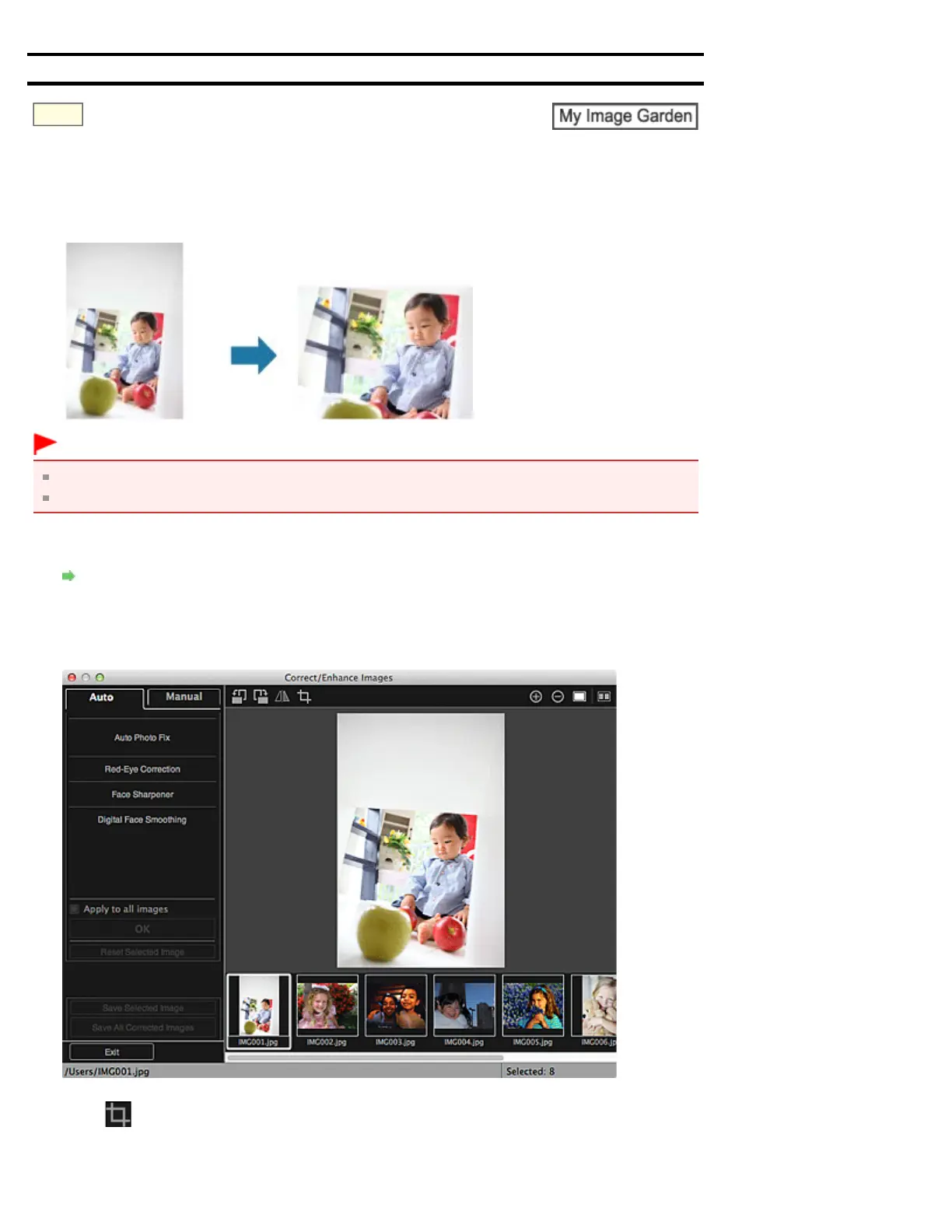
Cropping is the act of selecting the area you want to keep in an image and discarding the rest.
Important
This function may not be available when PREMIUM Contents are used.
Images cannot be cropped while editing items.
1. Select the image(s) you want to crop.
Selecting Images, PDF Files and Videos
2. Click Correct/Enhance at the bottom of the screen.
The Correct/Enhance Images window appears.
3. Click (Crop).
The Crop window appears.


 To Next Page