Specifying Common Settings
4-35
4
Customizing Settings
Output Tray Designation
You can designate the machine’s output trays to be used for specific functions.
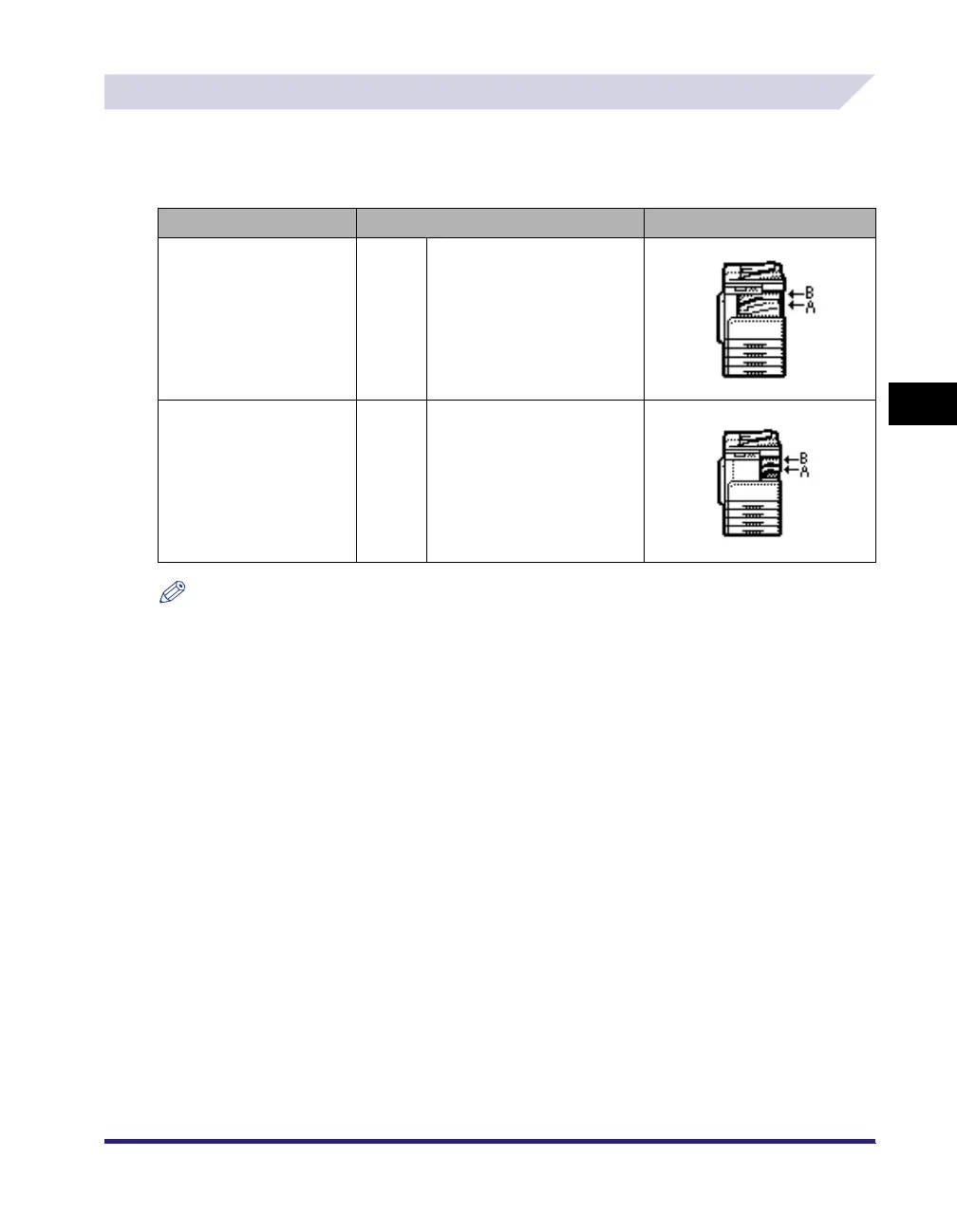
[Tray Designation] appears only if the following options are attached. The output trays indicated
by Tray A and B differ according to the options attached to the machine.
NOTE
•
The same output tray can be designated for multiple functions.
•
If only the optional Super G3 FAX Board is installed, [Fax] appears instead of [Receive].
•
If the optional Color Send Kit is not activated and the optional Super G3 FAX Board is not installed for
the iR2030/iR2025, [Receive] or [Fax] does not appear.
Options Attached Default Settings Tray A/B
Inner 2 Way Tray-E2
Tray A :
Tray B :
Copy, Printer, Receive, Other
Copy, Printer, Receive, Other
Finisher-U2 and Additional
Finisher Tray-C1
Tray A :
Tray B :
Copy, Printer, Receive, Other
Copy, Printer, Receive, Other



 To Next Page