1
1
2 3 4 5
(A)
(B)
(C)
1
1
2
보호재 제거하기
먼저 포함된 항목을 확인하십시오
설명서
Setup CD-ROM(드라이버, 어플
리케이션 및 전자 안내서 포함)
보증서
•
•
•
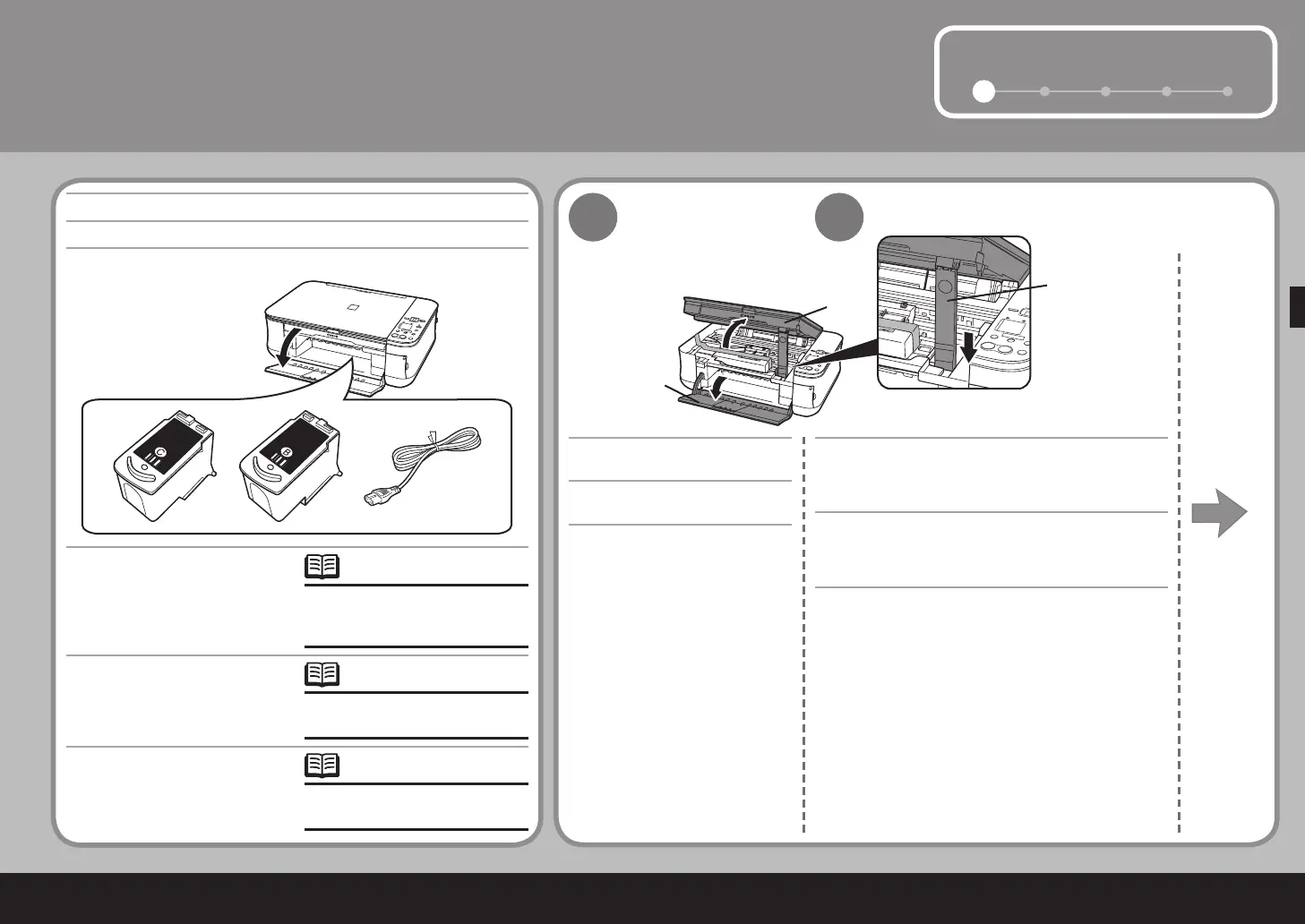
용지 출력 트레이(A)를 엽니다.
스캔 유닛(커버)(B)을 제자리에 잠길 때까지 올립니
다.
스캔 유닛 받침대(C)가 자동으로 고정됩니다.
取下保護材料
首先,檢查包裝箱中包含的物品
手冊
安裝光碟 ( 包含驅動程式、應用
程式和電子手冊 )
保固單
•
•
•
開啟出紙托盤 (A)。
抬起掃描單元 ( 機蓋 )(B) 直至其鎖定到位。
掃描單元支架 (C) 自動地固定。
Remove the Protective Material
First, check the included items
Manuals
Setup CD-ROM (containing
the drivers, applications and
on-screen manuals)
Warranty
•
•
•
Open the Paper Output Tray
(A).
Lift the Scanning Unit (Cover) (B) until it locks
into place.
The Scanning Unit Support (C) is fixed automatically.
USB 電纜線是連接本機和電腦
所必需的。
•
A USB cable is necessary
to connect the machine with
your computer.
•
기기를 컴퓨터에 연결해 주는
USB 케이블이 필요합니다 .
•



 To Next Page