4
Click [Add] [Finish].
5
Click [Close].
Adding a standard TCP/IP port
1
Click [Add Port].
2
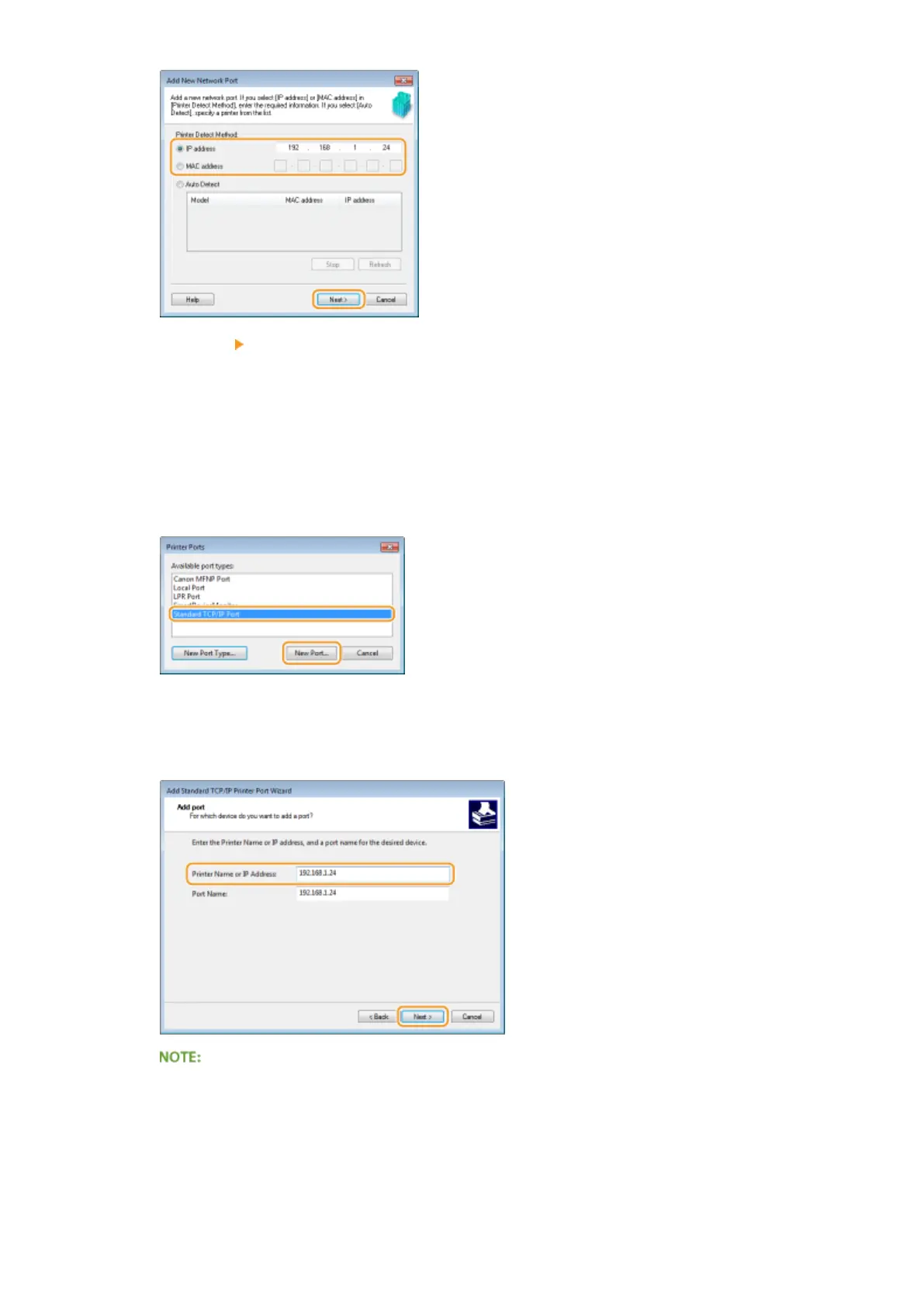
Select [Standard TCP/IP Port] in [Available port types] and click [New Port].
3
Click [Next].
4
Enter the IP address or the DNS name of the machine, and click [Next].
● The [Port Name] is entered automatically. If necessary, you can change it.
When the next screen is displayed, follow the instructions on the screen.
Network
170



 To Next Page