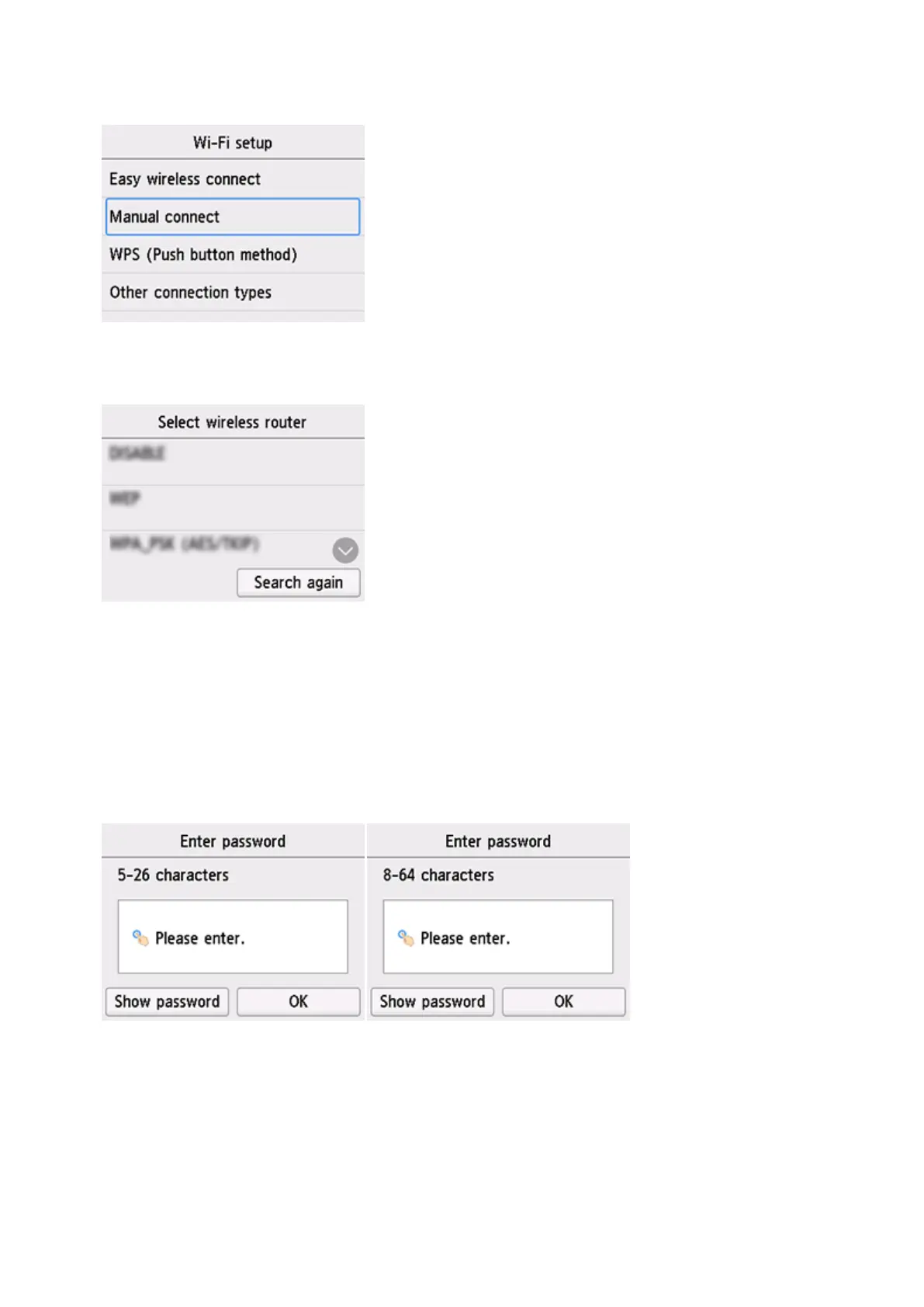
6. 點選手動連接(Manual connect)。
Tap Manual connect.
7. 點選所用無線路由器。
Tap your wireless router.
如果未找到您的路由器,請確定您的路由器設定符合以下打印機的規格:
If you do not find your router, please ensure your router setting meets the below printer requirement:
a. 頻率 Frequency: 2.4GHZ
b. 頻道 Channel: 1-11 (其中一條 either one)
8. 將顯示以下螢幕之一。
One of the screens below will appear.




 To Next Page