Before starting the installation
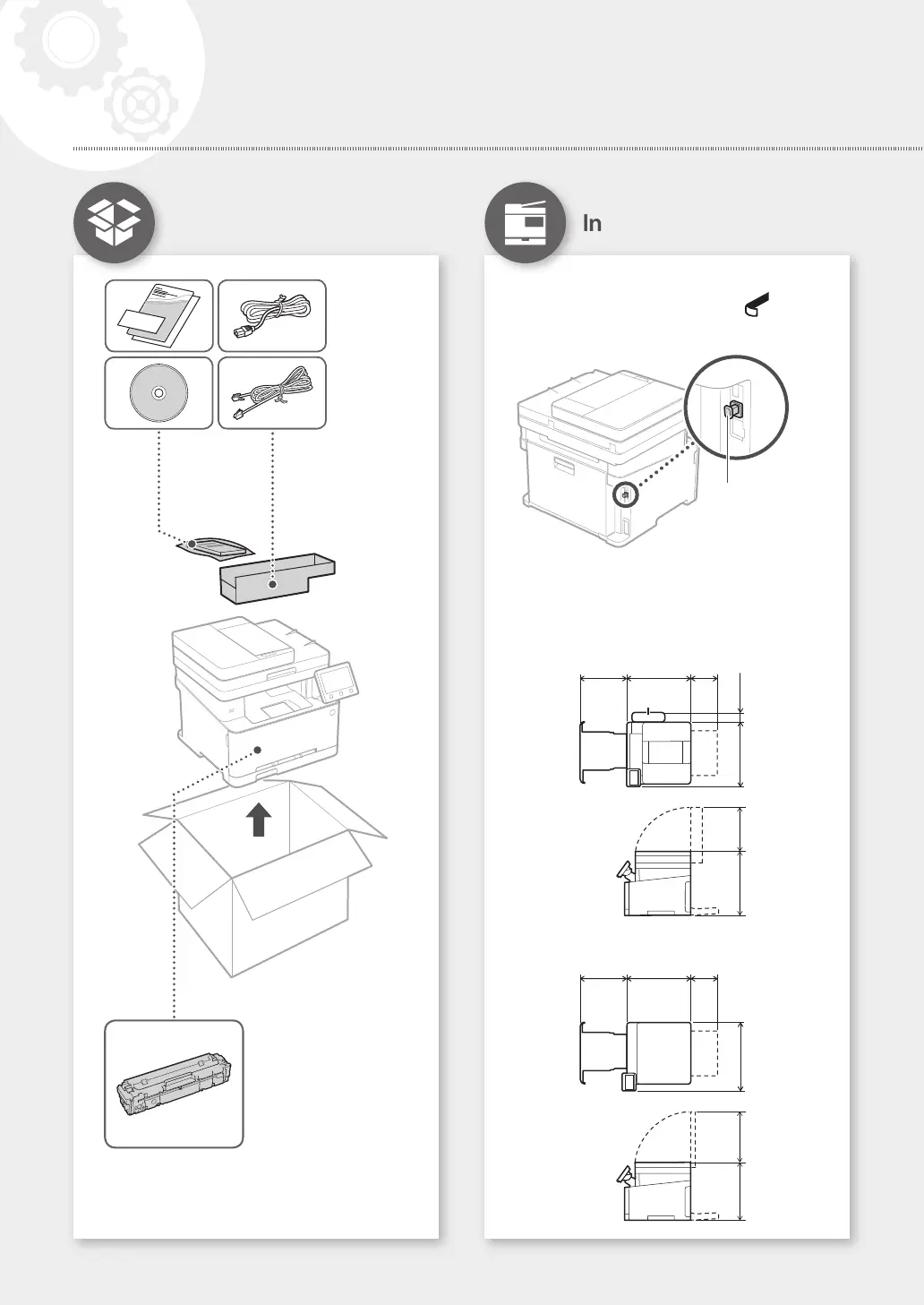
• Remove all of the tape.
• Do not remove the cap that covers the USB port.
Cap
Installation Requirements
Provide a space of 100 mm or more around the
machine.
MF635Cx/MF633Cdw
377 mm 460 mm 216 mm
451 mm 79 mm
Handset
(optional)
400 mm 276 mm
MF631Cn
377 mm 460 mm 216 mm
451 mm
321 mm347 mm
× 4
*
* This item may not be
included depending
on the model of the
machine.
Starter toner cartridges are included.
4
Installation of the Machine
Installing the Machine
Items Included with the
Machine
Quick Setup






 To Next Page