*1: Only for CD / DVD printing supported regions.
(2) Periodic maintenance
No periodic maintenance is necessary.
(3) Periodic replacement parts
There are no parts in this machine that require periodic replacement by a service engineer.
(4) Replacement consumables
There are no consumables that require replacement by a service engineer.
1-2. Customer Maintenance
mode.
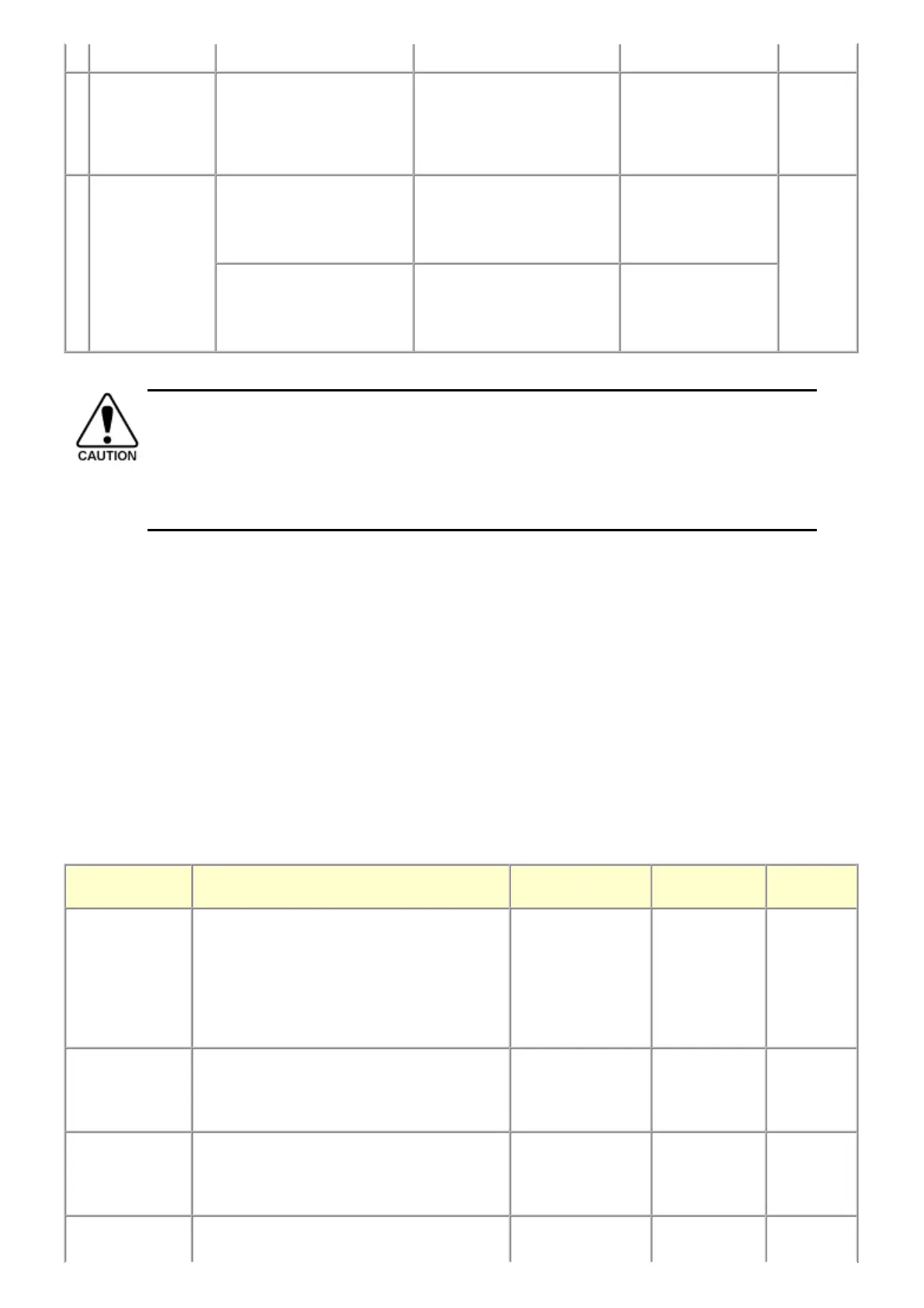
Platen glass
protection sheet
(document pressure
plate sheet)
position adjustment
- At protection sheet
replacement
- At protection sheet frame
replacement
- At scanner unit replacement
To maintain scanning accuracy,
hold the sheet with the long side
down, then fit its lower right
corner to the platen glass
reference mark (front right).
None. 1 min.
LF / Eject
correction
- At logic board replacement
- At feed roller ass'y
replacement
To correct line feeding (LF
roller diameter).
None.
Perform in the service
mode.
5 min.
(LF
correction
and Eject
correction
is
performed
at the same
time.)
- At logic board replacement
- At platen unit replacement
To correct line feeding (eject
roller diameter).
None.
Perform in the service
mode.
- DO NOT loosen the red screws at both ends of the carriage shaft, securing the print head position, as they are
not re-adjustable.
- The red screws securing the paper feed motor may be loosened only at replacement of the paper feed motor
unit.
- For the automatic print head alignment, use Matte Photo Paper (MP-101), which is packed with the machine
before shipment. If Matte Photo Paper (MP-101) is not available, perform manual print head alignment
using plain paper.
Adjustment Timing Purpose Tool
Approx.
time
Automatic print
head alignment
- At print head replacement
- When print quality is not satisfying (uneven
printing, etc.)
To ensure accurate
dot placement.
- Machine
buttons
- Matte Photo
Paper (MP-
101)
- Computer (MP
driver)
10min. (Use
MP-101.)
Manual print head
alignment
- At print head replacement
- When print quality is not satisfying (uneven
printing, etc.)
To ensure accurate
dot placement.
- Machine
buttons
- Computer (MP
driver)
13 min.
Print head cleaning When print quality is not satisfying. To improve nozzle
conditions.
- Machine
buttons
- Computer (MP
driver)
1 min.
Print head deep When print quality is not satisfying, and not To improve nozzle - Machine 2 min.












 To Next Page