TABLE OF CONTENTS
1. MAINTENANCE
1-1. Adjustment, Periodic Maintenance, Periodic Replacement Parts, and Replacement Consumables by Service Engineer
1-2. Customer Maintenance
1-3. Special Tools
1-4. Serial Number Location
2. LIST OF ERROR DISPLAY / INDICATION
2-1. Operator Call Errors
2-2. Service Call Errors
2-3. Other Error Messages
2-4. Warnings
2-5. Troubleshooting by Symptom
3. REPAIR
3-1. Notes on Service Part Replacement
3-2. Special Notes on Repair Servicing
(1) External housing, scanner unit, and document cover removal
(2) Operation panel removal
(3) Cable wiring and connection
(4) Emblem removal
(5) Printer unit separation from the bottom case (how to remove the screw under the purge unit)
3-3. Adjustment / Settings
(1) Paper feed motor adjustment
(2) Document pressure plate sheet (sponge sheet) replacement
(3) Grease application
(4) Ink absorber counter setting
(5) User mode
(6) Service mode
A: Service mode operation
B: Destination settings
C: Ink absorber counter resetting
D: Ink absorber counter setting
E: LF / Eject correction
F: Left margin correction
G: Button and LCD test
3-4. Verification Items
(1) Service test print
(2) Ink absorber counter value print
4. MACHINE TRANSPORTATION
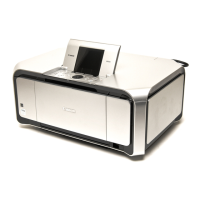
MP970
<TABLE OF CONTENTS>


 To Next Page