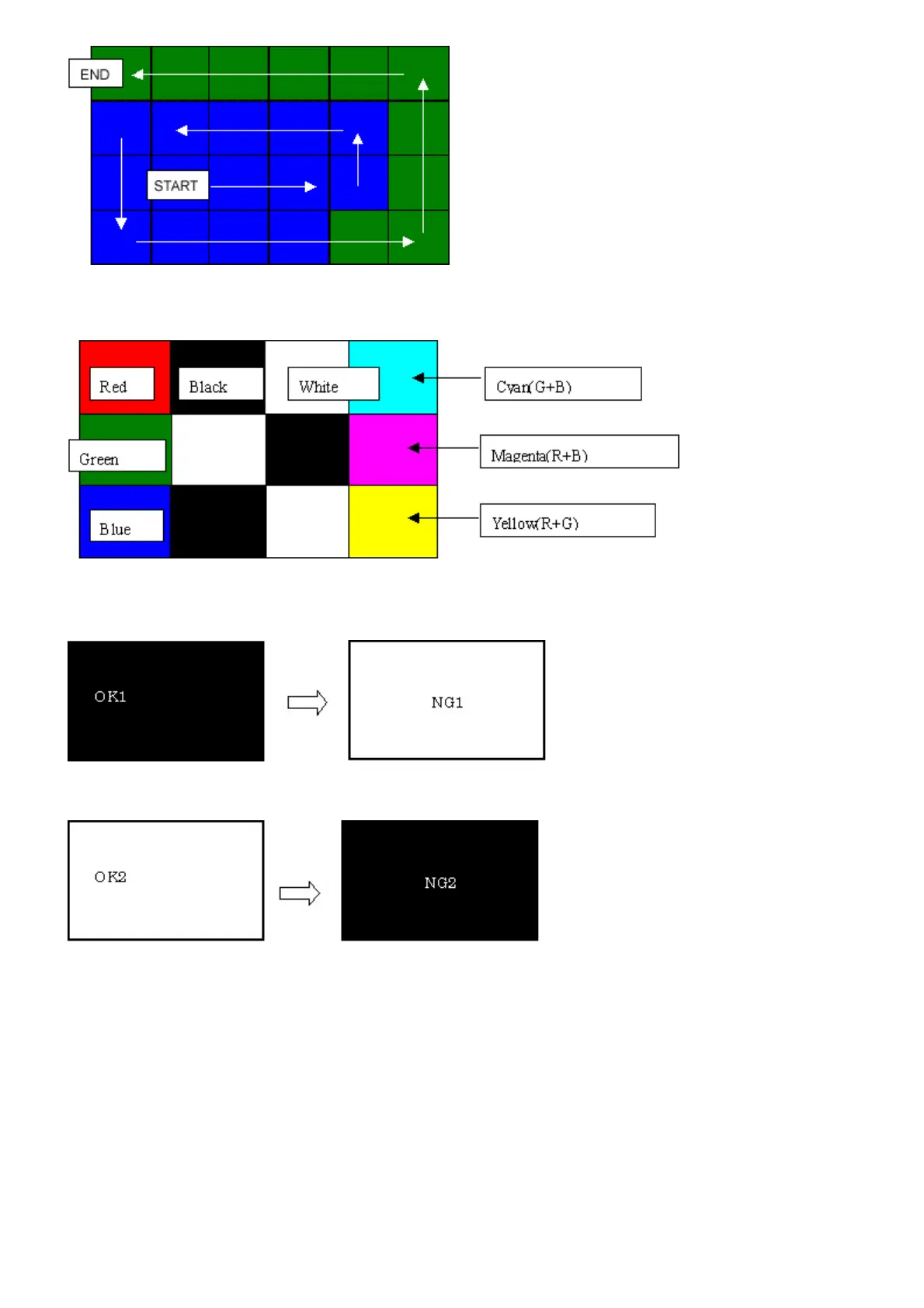
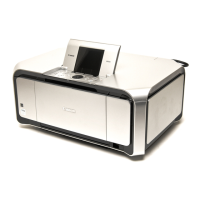
4-4) When the Easy-Scroll Wheel is rotated counterclockwise 1 round (24 steps, and all the segments are in blue), press the OK
button. The color pattern is displayed on the LCD.
If there is any segment that is not in blue when the OK button is pressed, the display remains unchanged.
5) Adjust the transparent color and LCD flicker, as follows:
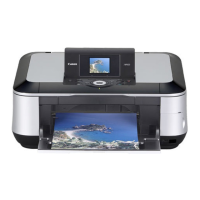
5-1) Press the OK button. "OK1" in white is displayed on the black background.
If the result is not good, "NG1" in black is displayed on the white background (transparent color) immediately after "OK1."
5-2) Press the OK button. "OK2" in black is displayed on the white background.
If the result is not good, "NG2" in white is displayed on the black background (transparent color) immediately after "OK2."
5-3) Press the OK button. The machine enters the LCD flicker adjustment mode. (See the flowchart below.)
5-4) Press the ON/OFF button to return to the service mode menu selection.


 To Next Page