Fax Easy Setup
Next Previous
Click Next to step through this image-friendly version of Fax Easy Setup.
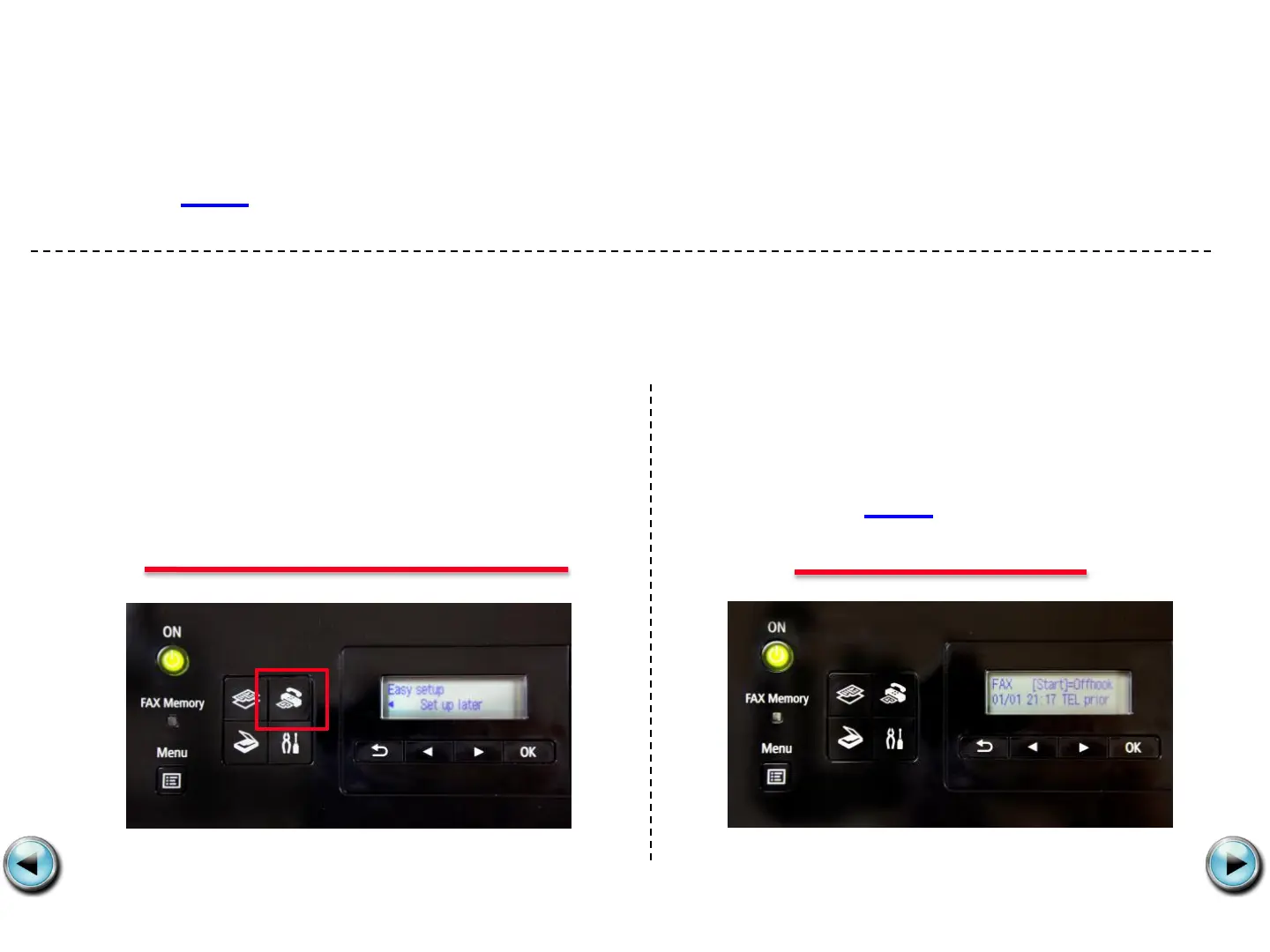
If you started Fax Easy Setup, on the fax machine’s operation panel, and
prefer to go through this image-friendly version…
Step 1
Press the FAX button at any screen
to go to fax standby mode.
Step 2
Click Next to proceed
through the setup.










 To Next Page