2.
To test the configuration, open a 'command' window and issue a 'ping' command from this IPsec
station to the printer/scanner controller
Customize the IPsec settings
Procedure
1.
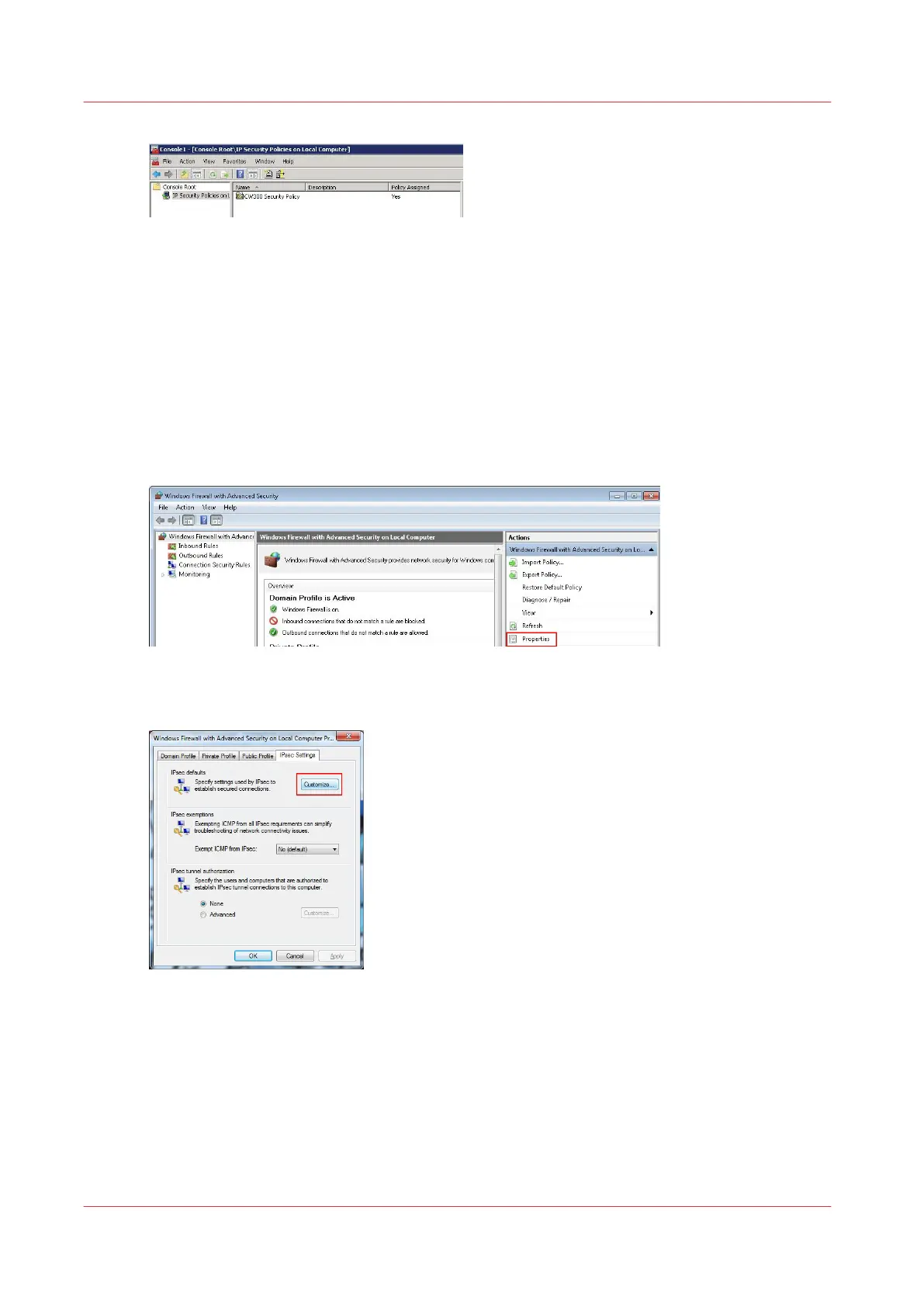
In the Control panel select 'Windows Firewall' - 'Advanced settings' to open the 'Windows
Firewall with Advanced Security' window
2.
In the 'Actions' section on the right hand side, click on 'Windows Firewall with Advanced Security
on Local Computer' to expand the menu
3.
Select 'Properties'
4.
In the 'IPsec Settings' tab, click on the 'Customize...' button of the 'IPsec defaults'
Customize the IPsec settings
216
Chapter 4 - Security on Océ PlotWave 345/365 and Océ PlotWave 450/550










 To Next Page