
 Need help?
Do you have a question about the Canon PIXMA MG5420 and is the answer not in the manual?
Explains the process of copying drivers and software to the computer, including estimated time and important pre-installation steps.
Details the step-by-step process of installing printer drivers and software, covering CD-ROM and download methods.
Covers managing software downloads, cancellations, errors, and confirming completion before proceeding.
Guides users through reinstalling the printer on a network, including using setup files or CD-ROM for wireless setup.
Guides users to click 'Add Printer' to display available printers and select the Canon MG5400 series.
 General
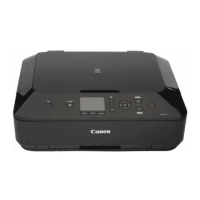
| Type | all in one |
|---|---|
| Color | black |
| Tray Capacity | 125 |
| Paper Size | 4" x 6", 5" x 7", 8" x 10", letter, legal, #10 envelopes |
| Paper Handling | up to 125 sheets |
| Color Print Speed | 10 pages per minute |
| Mono Print Speed | 15 pages per minute |
| Print Resolution Mono | up to 600 x 600 |
| Print Resolution Color | up to 9600 x 2400 |
| Maximum Number of Pages Per Month | unknown |
| Scanner Type | flatbed |
| Scan Resolution | up to 4800 x 2400 |
| Max Copies | 99 |
| Copier Resolution Mono | up to 600 x 600 |
| Copier Resolution Color | up to 600 x 600 |
| Cartridges | cli-251 bk, cli-251 c, cli-251 m, cli-251 y, pgi-250xl pgbk, cli-251xl bk, cli-251xl c, cli-251xl m, cli-251xl y, pgi-250 pgbk |
| Number Of Cartridges | 5 |
| Internal Memory | no |
| Memory Card | yes |
| Network | wireless |
| Connectivity | usb |
| OS Compatibility | pc: windows 7 (sp1), xp (sp3 32-bit) or vista (sp1 or sp2), mac: os x 10.5.8, 10.6 or 10.7 |
| Mobile Devices Connection | yes |
 Weight and Dimensions
| Height | 5.9 inches |
|---|---|
| Width | 14.6 inches |
| Net Weight | 17.5 pounds |




 To Next Page

