Setting the Telephone Line Type
Before using your machine, make sure you set the correct telephone line type for your telephone line. If you
are unsure of your telephone line type, contact your telephone company. For xDSL or ISDN connections,
contact the telephone company or service provider to confirm your line type.
Note
Telephone line type will not appear in countries or regions where Rotary pulse is not supported.
You can print USER'S DATA LIST to check the current setting.
Summary of Reports and Lists
1.
Make sure that the machine is turned on.
Confirming that the Power Is On
2.
Press the MENU button.
The menu screen is displayed.
3. Select Setup, then press the OK button.
4.
Select Device settings, then press the OK button.
5. Use the button to select FAX settings, then press the OK button.
6. Use the button to select FAX user settings, then press the OK button.
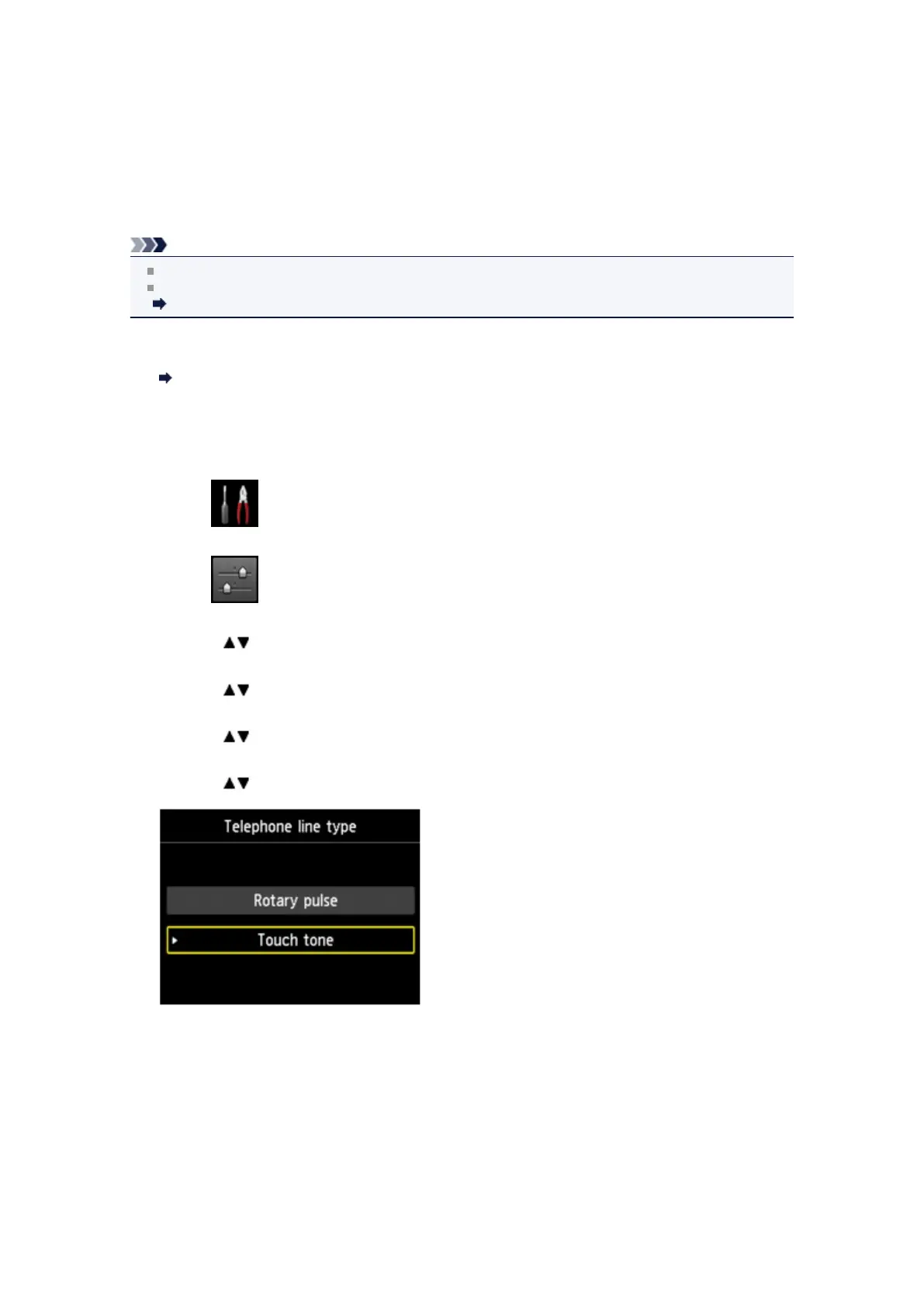
7. Use the button to select Telephone line type, then press the OK button.
8.
Use the button to select a telephone line type, then press the OK button.
Rotary pulse
Select when your telephone line type is pulse dialing.
Touch tone
Select when your telephone line type is tone dialing.
9.
Press the FAX button to return to the Fax standby screen.












 To Next Page