
 Need help?
Do you have a question about the Canon PIXMA TS3350 and is the answer not in the manual?
Step-by-step guide to printing photos from your computer using Easy-PhotoPrint Editor.
Instructions on how to load originals and perform copies on plain or photo paper.
Details on connecting the printer via Wireless Connection and Wireless Direct.
Important limitations and considerations when connecting devices via wireless router or Wireless Direct.
Steps to resolve blurred or incorrect print results by performing maintenance.
Instructions on how to clean the print head to improve print quality.
Troubleshooting steps if the printer fails to power on.
Solutions for issues related to USB connection between the printer and computer.
Guidance on how to interpret and respond to error messages and codes displayed by the printer.
 General
| Duplex printing | No |
|---|---|
| Print technology | Inkjet |
| Maximum resolution | 4800 x 1200 DPI |
| Borderless printing | Yes |
| Duplex printing mode | Manual |
| Print speed (ISO/IEC 24734) mono | 7.7 ipm |
| Print speed (ISO/IEC 24734) color | 4 ipm |
| Print speed (black, normal quality, A4/US Letter) | - ppm |
| Maximum copy resolution | - DPI |
| Maximum number of copies | 20 copies |
| Scanner type | Flatbed scanner |
| Input color depth | 16 bit |
| Maximum scan area | 216 x 297 mm |
| Output color depth | 8 bit |
| Optical scanning resolution | 600 x 1200 DPI |
| Maximum duty cycle | - pages per month |
| Replacement cartridges | PG-545, CL-546, PG-545XL, CL-546XL |
| Number of print cartridges | 2 |
| Photo paper sizes | 10x15, 13x18, 13x13 cm |
| Custom media width | 101.6 - 215.9 mm |
| Custom media length | 127 - 676 mm |
| Paper tray media types | Envelopes, Photo paper, Plain paper |
| ISO A-series sizes (A0...A9) | A4, A5 |
| ISO B-series sizes (B0...B9) | B5 |
| Multi-purpose tray media types | Legal, Letter |
| Borderless printing media sizes | 10x15, 13x18, 13x13 |
| Maximum ISO A-series paper size | A4 |
| Included cartridge capacity (black) | 180 pages |
| Paper input type | Paper tray |
| Total input capacity | 60 sheets |
| Total output capacity | - sheets |
| Display | LCD |
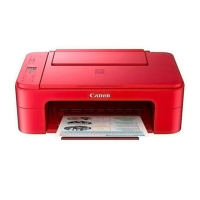
| Product color | Black |
| Display diagonal | 1.5 \ |
| Market positioning | Home & office |
| Wi-Fi standards | 802.11b, 802.11g, Wi-Fi 4 (802.11n) |
| Security algorithms | WEP, WPA-PSK, WPA2-PSK |
| Mobile printing technologies | Apple AirPrint, Google Cloud Print, Mopria Print Service, PIXMA Cloud Link |
| USB connector | USB Type-B |
| Direct printing | - |
| Mac operating systems supported | Mac OS X 10.11 El Capitan, Mac OS X 10.12 Sierra, Mac OS X 10.13 High Sierra, Mac OS X 10.14 Mojave |
| Mobile operating systems supported | Android, Windows 10 Mobile, iOS |
| Windows operating systems supported | Windows 10, Windows 7, Windows 8.1 |
| Downloadable software | Easy-PhotoPrint Editor |
| Operating temperature (T-T) | 15 - 30 °C |
| Operating relative humidity (H-H) | 10 - 80 % |
| AC input voltage | 100 - 240 V |
| AC input frequency | 50 - 60 Hz |
| Power consumption (off) | 0.3 W |
| Power consumption (copying) | 11 W |
| Power consumption (standby) | 1.7 W |
| Power consumption (average operating) | - W |
| Internal memory | - MB |
| Sound pressure level (printing) | 53.5 dB |
| Harmonized System (HS) code | 84433100 |
 Weight and Dimensions
| Depth | 316 mm |
|---|---|
| Width | 435 mm |
| Height | 145 mm |
| Weight | 3900 g |








 To Next Page
