EasyManua.ls Logo

Canon PowerShot A450 - User Manual

Canon PowerShot A450
115 pages
Print Icon
To Next Page IconTo Next Page
Loading...
Shooting
Playback/Erasing
Print/Transfer Settings
Troubleshooting
List of Messages
Before Using the Camera
Appendix
Camera User Guide
Advanced
Advanced Camera User Guide
This guide explains camera features and procedures in detail.
CDI-E269-010 © 2007 CANON INC. PRINTED IN CHINA
ENGLISH
DIGITAL CAMERA
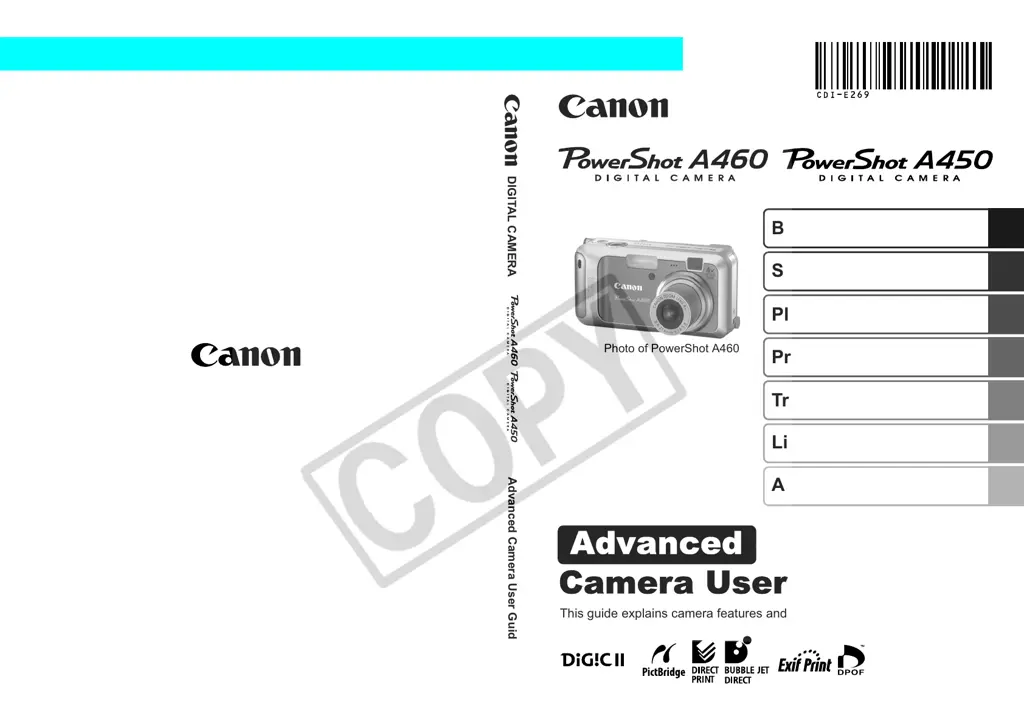
Photo of PowerShot A460

Table of Contents

Other manuals for Canon PowerShot A450

Questions and Answers

Summary

Handling Precautions

Please Read

Important introductory notes and guidelines before operating the camera.

Safety Precautions

Guidelines to ensure safe operation and prevent injuries or damage to the equipment.

Preventing Malfunctions

Instructions to avoid common camera issues and maintain proper functionality.

Before Using the Camera-Basic Operations

Using the LCD Monitor

Details on operating and navigating the camera's LCD screen for various functions.

Using the Viewfinder

Guidance on using the optical viewfinder to conserve power during shooting.

Power Saving Function

Information about the camera's automatic power-down features to save battery life.

Menus and Settings

Explanation of how to access and adjust camera settings via menus.

Menu List

A comprehensive list of available menu items and their functions.

Formatting Memory Cards

Instructions on how to initialize memory cards for optimal camera performance.

Shooting

Changing Recording Pixels and Compression

Adjusting image resolution and file compression for still photos.

Using the Digital Zoom

Guide on utilizing the camera's digital zoom feature for magnification.

Movie Shooting

Instructions for recording video clips with the camera.

Adjusting Exposure Compensation

Manually adjusting the brightness of images to correct exposure.

Adjusting the Tone (White Balance)

Controlling the color cast of images based on lighting conditions.

Playback;Erasing

Magnifying Images

Enlarging images on the LCD screen to check details.

Viewing Movies

Instructions for playing back recorded video clips.

Protecting Images

Marking images to prevent accidental deletion.

Erasing All Images

Deleting all images from the memory card.

Print Settings;Transfer Settings

Setting the DPOF Print Settings

Configuring print options for compatible printers using DPOF standards.

Troubleshooting

Camera

Solutions for common camera operation and power issues.

LCD monitor

Addressing display problems and anomalies on the camera's LCD screen.

Shooting

Resolving issues encountered during the image capture process.

Image is blurred or out of focus

Diagnosing and fixing issues related to blurry or out-of-focus photographs.

Subject in recorded image is too dark.

Troubleshooting underexposed images due to lighting or flash issues.

Eyes appear red.

Solutions for the red-eye effect in photographs.

Shooting movies

Resolving problems related to movie recording and playback.

Playback

Troubleshooting issues related to playing back images and movies.

List of Messages

Memory card error

Indicates a problem with the inserted memory card.

Lens error, restart camera

Error detected during lens motion, leading to automatic power off.

Appendix

Battery Handling

Information on charging, precautions, and proper use of batteries.

Handling the Memory Card

Guidelines for safely handling, storing, and using memory cards.

Specifications

Technical details and features of the camera model.

Memory Cards and Estimated Capacities

Data on memory card compatibility and estimated image storage capacities.

Summary

Handling Precautions

Please Read

Important introductory notes and guidelines before operating the camera.

Safety Precautions

Guidelines to ensure safe operation and prevent injuries or damage to the equipment.

Preventing Malfunctions

Instructions to avoid common camera issues and maintain proper functionality.

Before Using the Camera-Basic Operations

Using the LCD Monitor

Details on operating and navigating the camera's LCD screen for various functions.

Using the Viewfinder

Guidance on using the optical viewfinder to conserve power during shooting.

Power Saving Function

Information about the camera's automatic power-down features to save battery life.

Menus and Settings

Explanation of how to access and adjust camera settings via menus.

Menu List

A comprehensive list of available menu items and their functions.

Formatting Memory Cards

Instructions on how to initialize memory cards for optimal camera performance.

Shooting

Changing Recording Pixels and Compression

Adjusting image resolution and file compression for still photos.

Using the Digital Zoom

Guide on utilizing the camera's digital zoom feature for magnification.

Movie Shooting

Instructions for recording video clips with the camera.

Adjusting Exposure Compensation

Manually adjusting the brightness of images to correct exposure.

Adjusting the Tone (White Balance)

Controlling the color cast of images based on lighting conditions.

Playback;Erasing

Magnifying Images

Enlarging images on the LCD screen to check details.

Viewing Movies

Instructions for playing back recorded video clips.

Protecting Images

Marking images to prevent accidental deletion.

Erasing All Images

Deleting all images from the memory card.

Print Settings;Transfer Settings

Setting the DPOF Print Settings

Configuring print options for compatible printers using DPOF standards.

Troubleshooting

Camera

Solutions for common camera operation and power issues.

LCD monitor

Addressing display problems and anomalies on the camera's LCD screen.

Shooting

Resolving issues encountered during the image capture process.

Image is blurred or out of focus

Diagnosing and fixing issues related to blurry or out-of-focus photographs.

Subject in recorded image is too dark.

Troubleshooting underexposed images due to lighting or flash issues.

Eyes appear red.

Solutions for the red-eye effect in photographs.

Shooting movies

Resolving problems related to movie recording and playback.

Playback

Troubleshooting issues related to playing back images and movies.

List of Messages

Memory card error

Indicates a problem with the inserted memory card.

Lens error, restart camera

Error detected during lens motion, leading to automatic power off.

Appendix

Battery Handling

Information on charging, precautions, and proper use of batteries.

Handling the Memory Card

Guidelines for safely handling, storing, and using memory cards.

Specifications

Technical details and features of the camera model.

Memory Cards and Estimated Capacities

Data on memory card compatibility and estimated image storage capacities.

Canon PowerShot A450 Specifications

General IconGeneral
Image Sensor TypeCCD
Digital Zoom4x
Screen Size2.0 inches
ISO RangeAuto, 80, 100, 200, 400
Video Resolution640 x 480
TypeCompact
Image Sensor1/2.5-inch CCD
Image StabilizationNo
Built-in FlashYes
Effective Pixels5.0 MP
Battery TypeAA
Maximum Aperturef/2.8
Shutter Speed15-1/2000 sec
Memory Card TypeSD, SDHC
Storage MediaSD memory card / MMC card

Related product manuals