EasyManua.ls Logo

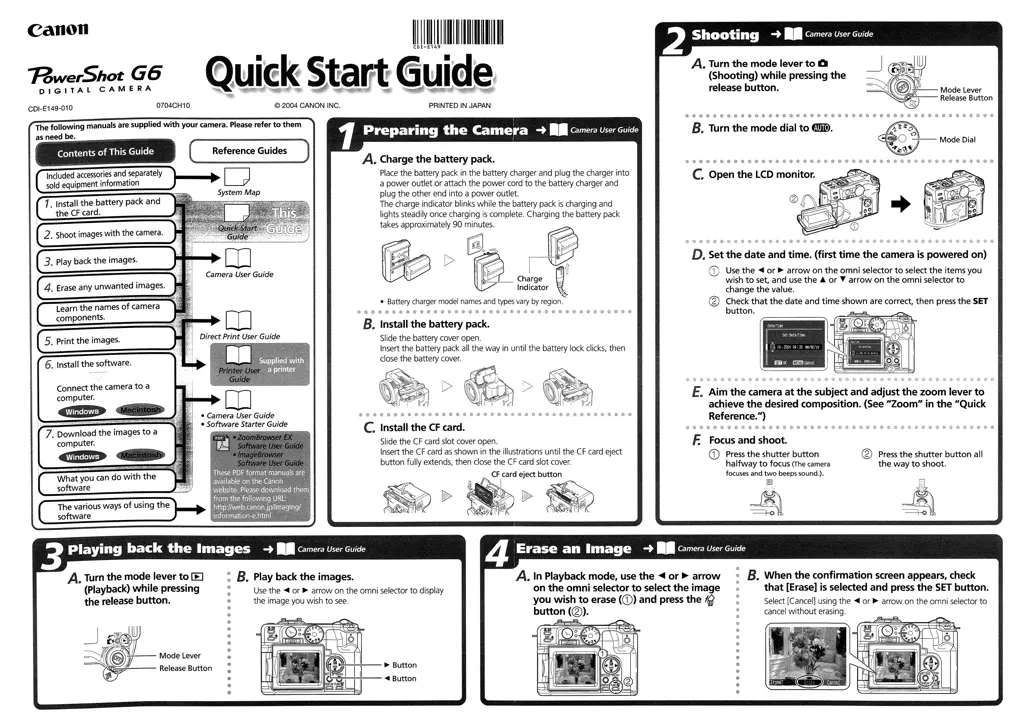
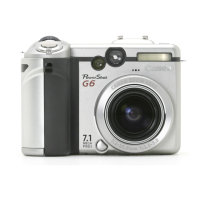
Canon PowerShot G6 - User Manual

Canon PowerShot G6
376 pages
Print Icon
To Next Page IconTo Next Page
Loading...

Table of Contents

Other manuals for Canon PowerShot G6

Questions and Answers

  • A
    Angel LittleSep 23, 2025
    What to do if CF card has been formatted in a different device on Canon PowerShot G6?
    • J
      Joshua GrahamSep 23, 2025
      If the currently used CF card has been formatted in a different device on your Canon Digital Camera, use a CF card formatted with this camera.
  • R
    ronaldhansonAug 23, 2025
    How to fix subject hard to focus on Canon Digital Camera?
    • K
      Kimberly KelleyAug 25, 2025
      If the subject is hard to focus on with your Canon Digital Camera, use the focus lock or the manual focus to shoot the image.
  • D
    donna96Aug 25, 2025
    What to do if CF card is not formatted correctly on Canon Digital Camera?
    • S
      swatersAug 26, 2025
      If the CF card is not formatted correctly in your Canon Digital Camera, format the CF card. If reformatting doesn’t resolve the issue, the CF card logic circuits may be damaged.
  • S
    Sarah Torres MDAug 26, 2025
    What to do if the flash is charging on Canon PowerShot G6?
    • M
      Mr. Steven HarrisAug 27, 2025
      If the flash is charging (blinking on the LCD monitor) on your Canon Digital Camera, wait until the upper indicator lights orange, signaling that the flash is charged. Then, press the shutter button.
  • H
    howard31Aug 27, 2025
    What to do if subject is too far for flash to reach on Canon PowerShot G6?
    • E
      ehallAug 27, 2025
      If the subject is too far for the flash to reach on your Canon Digital Camera: * When using the built-in flash, ensure the subject is within 70 cm to 5.0 m (2.3 to 16 ft.) at the maximum wide angle, or within 70 cm to 4.0 m (2.3 to 13 ft.) at the maximum telephoto setting. * Consider using an externally mounted flash with a larger output. * Increase the ISO sensitivity before shooting.
  • C
    Cindy BryantSep 16, 2025
    What to do if The ND filter is On Canon PowerShot G6 Digital Camera?
    • S
      Spencer TranSep 16, 2025
      If the ND Filter is On on your Canon Digital Camera, Set [ND Filter] to [Off].
  • A
    Adriana WhiteSep 13, 2025
    What to do if Shooting mode set to Stitch Assist on Canon PowerShot G6?
    • S
      Sue HallSep 13, 2025
      If the shooting mode is set to (Stitch Assist) on your Canon Digital Camera, the output will not appear on a TV monitor in (Stitch Assist) mode. Shoot in a different mode.
  • E
    Earl CoxSep 14, 2025
    What to do if zoom lever turned while shooting in movie mode on Canon PowerShot G6 Digital Camera?
    • K
      Kimberly WoodSep 14, 2025
      If the zoom lever is turned while shooting in movie mode on your Canon Digital Camera, operate the zoom before shooting in movie mode.
  • J
    Jacob PerkinsSep 5, 2025
    What to do if AF-assist Beam is set to off on Canon PowerShot G6 Digital Camera?
    • S
      Sydney PatelSep 5, 2025
      If the AF-assist Beam is set to off on your Canon Digital Camera, set the AF-assist Beam to [On].
  • D
    David GeorgeSep 3, 2025
    What to do if my Canon Digital Camera file name was changed?
    • C
      Casey EllisSep 3, 2025
      If the file name was changed with a computer or the file location was altered on your Canon Digital Camera, set the file name or location to the file format/structure of the camera.

Canon PowerShot G6 Specifications

General IconGeneral
Camera typeCompact
Megapixels7.1 MP
Image ProcessorDIGIC II
Optical Zoom4x
Maximum Aperturef/2.0 - f/3.0
Aperture Rangef/2.0 - f/8.0
LCD Screen Size2.0"
Shutter Speed15 - 1/2000 sec
Max shutter speed1/2000 sec
Min shutter speed15 sec
Video Resolution640 x 480
BatteryNB-2LH
Sensor TypeCCD
Image ratio w:h4:3
Focal Length7.2 - 28.8 mm
Storage MediaCompactFlash (Type I or II)
Battery TypeLithium-Ion
Effective pixels7.1 MP

Related product manuals