EasyManua.ls Logo

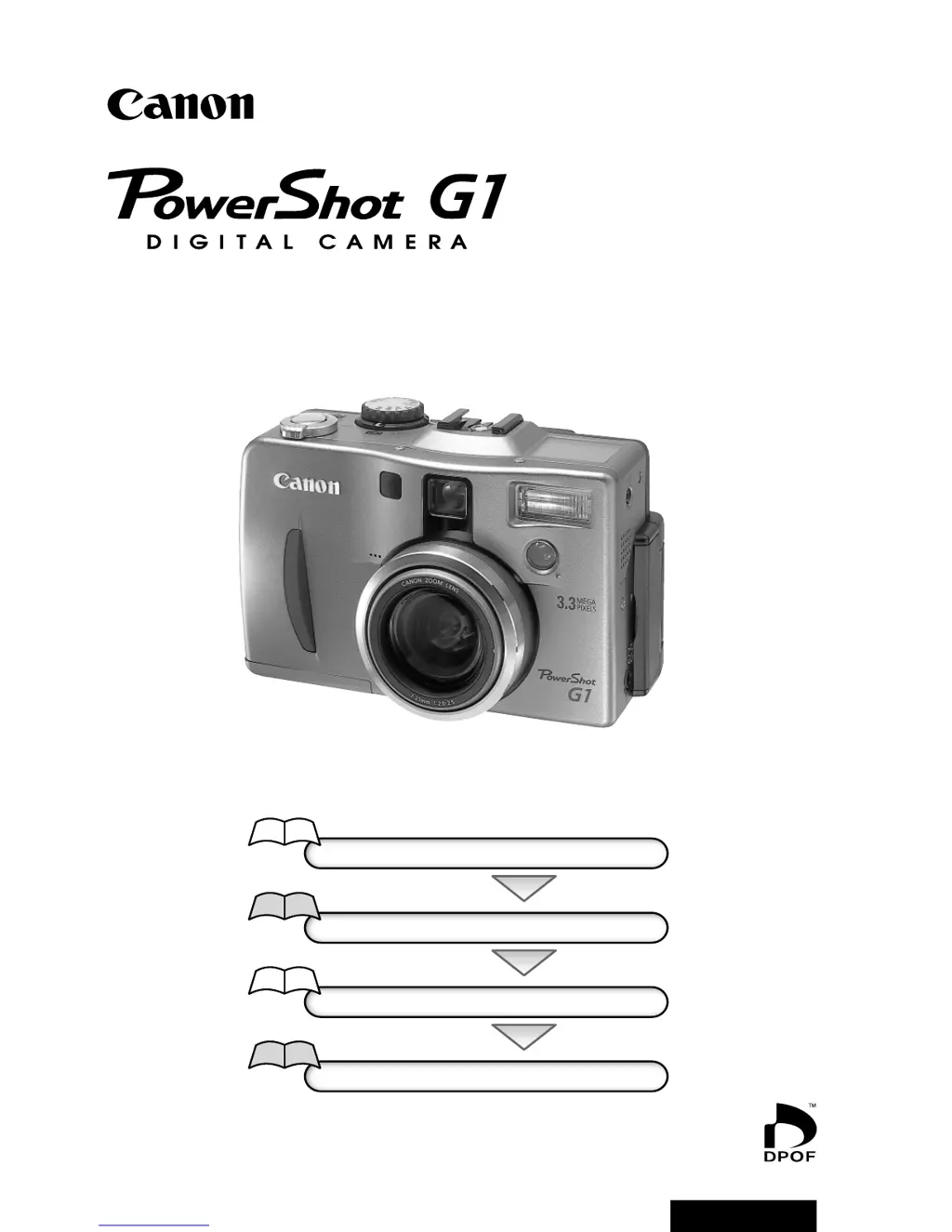
Canon PowerShot G1 - User Manual

Canon PowerShot G1
144 pages
Print Icon
To Next Page IconTo Next Page
Loading...
Flowchart and Reference Guides
This Guide
Shooting with the Camera
Software Starter Guide
Installing the Software
This Guide
Connecting the Camera to a Computer
Software Starter Guide
Downloading Images to a Computer
Camera User Guide
Please start by reading the Precaution on the reverse side of this cover.
ENGLISH

Table of Contents

Other manuals for Canon PowerShot G1

Questions and Answers

  • J
    James WatsonSep 18, 2025
    Why buttons do not work on Canon Digital Camera?
    • Z
      Zachary MortonSep 22, 2025
      If buttons on your Canon Digital Camera do not work, the issue might be with the BUTTON PCB ASS’Y. Check for any abnormalities in the mounting of probable faulty parts or connector connections. If the problem persists, try replacing probable faulty parts.
  • C
    Candice HuntAug 25, 2025
    What to do if my Canon PowerShot G1 will not record?
    • L
      Lisa RobinsonAug 25, 2025
      If your Canon Digital Camera is not recording, make sure the main dial is set to (Shooting). If the orange indicator is flashing, wait until it shines steadily, indicating the flash is charged, before pressing the shutter button. Also, ensure that the CF card is not full, and if it is, insert a new one or download the images to a computer and erase them from the card. Finally, the CF card might need formatting. If reformatting doesn't work, the CF card logic circuits may be damaged.
  • B
    brandonkeyAug 25, 2025
    What to do if Canon PowerShot G1 battery pack will not charge?
    • L
      Lisa SmithAug 26, 2025
      To resolve the issue of the battery pack not charging on your Canon Digital Camera: * Ensure the main dial is set to . * Replace the battery pack if its life has exceeded. * Plug the compact power adapter's DC plug more firmly into the camera's DC IN terminal and ensure the power cord is securely connected to both the adapter and the electrical outlet.
  • N
    Nicholas FreemanAug 27, 2025
    What to do if my Canon Digital Camera model appears in the 'Scanners and Cameras Properties' device list?
    • M
      Mark LeeAug 27, 2025
      If your Canon Digital Camera model appears in the 'Scanners and Cameras Properties' device list, select the name of your camera model and click the [Remove] button.
  • T
    Timothy MooreSep 23, 2025
    Why operations from the wireless controller are not accepted on Canon Digital Camera?
    • R
      Ronald DominguezSep 23, 2025
      If operations from the Wireless Controller are not accepted by your Canon Digital Camera, the issue might be with the TOP MODULE UNIT(IC5). Check for any abnormalities in the mounting of probable faulty parts or connector connections. If the problem continues, try replacing probable faulty parts.
  • C
    Christopher GeorgeSep 23, 2025
    Why the mode dial does not work on Canon PowerShot G1 Digital Camera?
    • Y
      youngcharlotteSep 23, 2025
      If the mode dial on your Canon Digital Camera doesn't work, the issue might be with the MODE DIAL BRUSH. Check for any abnormalities in the mounting of probable faulty parts or connector connections. If the problem persists, try replacing probable faulty parts.
  • C
    Carl CrossSep 10, 2025
    Why is the external flash not firing on my Canon Digital Camera?
    • C
      cynthia29Sep 10, 2025
      If the external flash on your Canon Digital Camera isn't firing, the issue might stem from the TOP MODULE UNIT(IC1/CN1). Check for any abnormalities in the mounting of probable faulty parts or connector connections. If that doesn't resolve the problem, consider replacing probable faulty parts.
  • V
    vthompsonSep 12, 2025
    Why is the image not reversed when LCD Monitor is rotated on Canon PowerShot G1?
    • D
      Dr. Bethany GordonSep 12, 2025
      If the image is not reversed even when you rotate the LCD Monitor on your Canon Digital Camera, the issue might be with the HINGE UNIT. Check for any abnormalities in the mounting of probable faulty parts or connector connections. You could also try replacing probable faulty parts.
  • Z
    Zoe JeffersonSep 3, 2025
    What to do if my Canon PowerShot G1 model name does not appear in the 'Scanners and Cameras Properties' device list?
    • K
      Kevin DiazSep 4, 2025
      If the camera model name does not appear in the 'Scanners and Cameras Properties' device list, double-click the [System] icon in the Control Panel and check the [Device Manager] tab.
  • B
    Brandy McclureSep 1, 2025
    Why won't the flash fire on my Canon PowerShot G1?
    • D
      Denise RobertsSep 1, 2025
      If the flash on your Canon Digital Camera will not fire, ensure that the flash is set to Auto or On, not Off.

Summary

Quick Start Guide

Battery Installation and Charging

Steps for installing and charging the battery pack.

CF Card Insertion and Powering On

Procedure for inserting the CF card and turning the camera on.

Basic Shooting and Image Viewing

Instructions for focusing, shooting, and reviewing images.

Components Guide

Preparing the Camera

Battery Pack Procedures

Charging, installing, and handling precautions for the battery pack.

CF Card Installation and Handling

Steps for inserting the CF card and guidelines for its safe handling.

Basic Functions

Date;Time and Menu Navigation

Setting date/time and the general procedure for selecting menus and settings.

Shooting Modes: Automatic and Scene

Auto Mode and Image Review

Using auto mode for simple shooting and reviewing images after capture.

Zoom Control and Flash Usage

Adjusting optical/digital zoom and using the built-in flash.

Macro, Self-Timer, Continuous, Digital Zoom

Utilizing specific shooting modes for close-ups, delays, bursts, and magnification.

Shooting Modes: Creative Control

Exposure Control Modes

Using Program AE, Shutter-priority, and Aperture-priority modes.

Manual Exposure and Compensation

Manually setting shutter/aperture and adjusting exposure compensation.

White Balance and Bracketing

Setting white balance and using Auto Exposure Bracketing.

Flash Output and Exposure Locks

Adjusting flash output and locking exposure settings (AE/FE Lock).

Erasing and Formatting

Appendices

Troubleshooting and Specifications

Solving common issues, understanding error codes, and viewing technical specifications.

Canon PowerShot G1 Specifications

General IconGeneral
Optical zoom3x
Digital zoom2x
Sensor TypeCCD
Sensor Size1/1.8 inch
ISO Range50, 100, 200, 400
Shutter Speed8 - 1/1000 sec
Supported Flash MemoryCompactFlash (Type I)
BatteryBP-511
Camera typeCompact digital camera
Optical Sensor Resolution3.34 megapixels
Image ProcessorDIGIC
Lens7-21mm (35mm equivalent: 34-102mm)
Aperture Rangef/2.0-2.5
LCD Screen1.8 inch
StorageCompactFlash Card

Related product manuals