EasyManua.ls Logo

Canon PowerShot G5X - User Manual

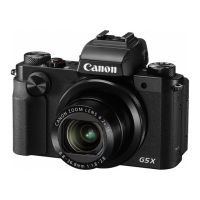
Canon PowerShot G5X
217 pages
Print Icon
To Next Page IconTo Next Page
Loading...
1
Camera Basics
Auto Mode /
Hybrid Auto Mode
Other Shooting Modes
P Mode
Tv, Av, M, and C Mode
Playback Mode
Wi-Fi Functions
Setting Menu
Accessories
Appendix
Before Use
Basic Guide
Index
Advanced Guide
© CANON INC. 2015 CT0-D007-000-F101-A
● Make sure you read this guide, including the “Safety Precautions”
(
=
14) section, before using the camera.
● Reading this guide will help you learn to use the camera properly.
● Store this guide safely so that you can use it in the future.
● Click the buttons in the lower right to access other pages.
: Next page
: Previous page
: Page before you clicked a link
● To jump to the beginning of a chapter, click the chapter title at right.
Camera User Guide
ENGLISH

Table of Contents

Question and Answer IconNeed help?

Do you have a question about the Canon PowerShot G5X and is the answer not in the manual?

Canon PowerShot G5X Specifications

General IconGeneral
Image ProcessorDIGIC 6
Display3.0-inch vari-angle touchscreen LCD
Video RecordingFull HD 1080p at 60 fps
ConnectivityWi-Fi, NFC
Battery LifeApprox. 210 shots (CIPA standard)
Image StabilizationOptical
Built-in FlashYes
Sensor1.0-inch CMOS
Lens24-100mm f/1.8-2.8
ISO Range125-12800 (expandable to 25600)
Viewfinder2.36 million dots OLED EVF
Dimensions112.4 x 76.4 x 44.2 mm
Weight377 g (including battery and memory card)
Continuous ShootingApprox. 5.9 fps
Storage MediaSD/SDHC/SDXC card
BatteryNB-13L

Related product manuals