EasyManua.ls Logo

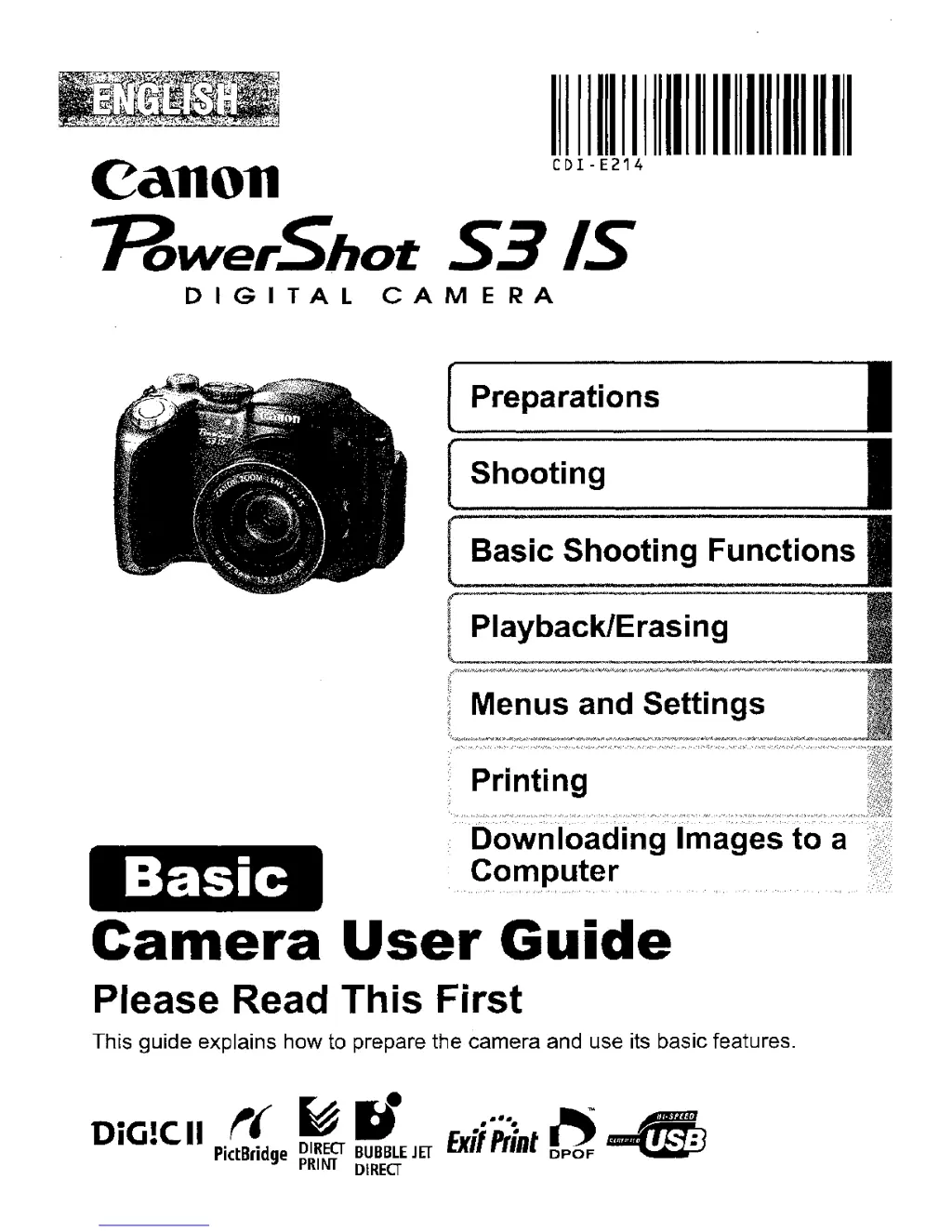
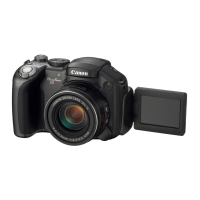
Canon PowerShot S3 IS - User Manual

Canon PowerShot S3 IS
389 pages
Print Icon
To Next Page IconTo Next Page
Loading...
1111111111111111111111111111111111
CDI-E214
Canon
HvverShot
S3
IS
DIGITAL
CAMERA
Basic
[ Preparations I
[ Shooting I
[
Basic
Shooting Functions I
Playback/Erasing
a
Computer
Camera
User
Guide
Please Read This First
This guide explains how to prepare the camera and use
its
basic features.
DiG!CII
t(
~
rJ
.....
,
f'j
4)
PictBridge
D1REa
BUBBLE
JET
Exit
PIlRt
DPOF
PRINT
DlREa

Table of Contents

Other manuals for Canon PowerShot S3 IS

Questions and Answers

  • S
    smeyerAug 17, 2025
    Why won't my Canon Digital Camera turn on?
    • S
      scottparkAug 17, 2025
      Your Canon Digital Camera might not be operating because the power isn't turned on. Ensure you press the power button. Also, check that the memory card slot or battery cover is securely closed. Verify that the batteries are loaded correctly and are the right type, using only unused AA-size alkaline batteries or Canon AA-size NiMH batteries. If you see a 'Change the batteries' message, insert four unused or fully charged AA-size NiMH batteries. Finally, try polishing the battery terminals with a soft cotton swab and reinserting the batteries.
  • D
    danny84Aug 20, 2025
    Why do my Canon Digital Camera batteries drain so quickly?
    • J
      Jessica WeissAug 20, 2025
      The batteries in your Canon Digital Camera might be draining quickly because they are not the right type. Ensure you are using only unused AA-size alkaline batteries or fully charged Canon AA-size NiMH batteries. If you're shooting in a cold area, keep the batteries warm until you're ready to use them. Also, try wiping the battery terminals with a dry cloth before use and reinsert the batteries several times.
  • M
    Melanie RodriguezAug 22, 2025
    Why is my Canon PowerShot S3 IS Digital Camera image not showing on TV monitor?
    • M
      Michael BrownAug 22, 2025
      If your Canon Digital Camera image is not showing on a TV monitor, the video system setting may be incorrect. Set the video system to the appropriate setting, NTSC or PAL, for your TV. Also, the output will not appear on a TV in Stitch Assist mode. Shoot in a different mode.
  • C
    Christopher BarberAug 26, 2025
    What to do if my Canon PowerShot S3 IS displays 'Card locked!' message?
    • M
      Michael VelazquezAug 26, 2025
      If your Canon Digital Camera displays a 'Card locked!' message, the SD memory card's write protect tab is set to 'Write protect.' When recording to, erasing from, or formatting the memory card, slide the tab upward.
  • C
    Christopher WoodAug 28, 2025
    What to do if my Canon PowerShot S3 IS image contains noise?
    • K
      Kayla HuangAug 28, 2025
      If your Canon Digital Camera image contains noise, it might be because the ISO speed is too high. Selecting high ISO speeds or (High ISO Auto) may increase the amount of noise in an image. When picture quality is the priority, select lower ISO speeds.
  • J
    Jesse GardnerAug 30, 2025
    What to do if my Canon Digital Camera cannot print?
    • V
      vargaspamelaAug 31, 2025
      If your Canon Digital Camera cannot print, first make sure the camera and printer are connected properly with the specified cable. Then, ensure the printer is turned on. Finally, select [Auto] for [Print Method] under the (Set up) menu.
  • M
    Melissa StewartSep 2, 2025
    What to do if the Date/Time menu appears on my Canon PowerShot S3 IS?
    • G
      Gregory KnightSep 2, 2025
      If the Date/Time menu appears on your Canon Digital Camera, the lithium coin battery charge is low. Replace it.
  • J
    Jonathan BrownSep 5, 2025
    Why does recording images to memory card take a long time on my Canon PowerShot S3 IS Digital Camera?
    • T
      Thomas KingSep 5, 2025
      Recording images to the memory card might take a long time on your Canon Digital Camera if the memory card was formatted in another device. Use a memory card formatted in your camera.
  • B
    Barry GambleSep 8, 2025
    Why does the display darken on my Canon PowerShot S3 IS Digital Camera?
    • M
      michaelcarlsonSep 8, 2025
      The image in the LCD monitor on your Canon Digital Camera will darken in strong sunlight or bright light. This is a normal occurrence in devices containing CCDs and does not constitute a malfunction. This image will not be recorded when shooting still photos, but it will be recorded when shooting movies.
  • K
    Kevin McphersonSep 12, 2025
    Why does the display flicker on my Canon Digital Camera?
    • P
      pbergSep 12, 2025
      The display flickers when shot under fluorescent lighting. This is not a camera malfunction. Flickering is recorded in movies, but not in still images.

Canon PowerShot S3 IS Specifications

General IconGeneral
InterfaceUSB 2.0
Photo modeAuto, Program AE, Shutter priority AE, Aperture priority AE, Manual, Custom, Portrait, Landscape, Night Scene, Sports, Stitch Assist, Movie, Special Scene
Digital SLRNo
Built-in flashYes
Camera shutter speed15 – 1/3, 200 s
Compatible operating systemsWindows 98SE / Me / 2000 SP4 / XP / XP SP1-2 OS X v10.2 - 10.4
Focal length (35mm film equivalent)36 - 432 mm
I/O portsUSB 2.0 A/V out (PAL/NTSC)
Scene modesbeach, Fireworks, Night, party (indoor)
Photo effectsblack&white, Neutral, Positive film, Sepia, Skin tones, Vivid
White balanceauto, Cloudy, custom modes, daylight, flash, Fluorescent, Tungsten
Playback zoom (max)2 x
Display diagonal2 \
Display resolution (numeric)115.000 pixels
Product colorBlack
Battery typeNB4-300
Battery technologyNickel-Metal Hydride (NiMH)
ISO sensitivity80, 100, 200, 400, 800, AUTO
Megapixel6 MP
Sensor typeCCD
Image sensor size1/2.5 \
Maximum video resolution640 x 480 pixels
Operating temperature (T-T)0 - 40 °C
Bundled softwareZoomBrowser EX / ImageBrowser PhotoStitch, RemoteCapture TWAIN (Windows 98 / 2000), WIA (Windows Me) ArcSoft PhotoStudio
Internal memory16 MB
Compatible memory cardsmmc, sd
Flash modesauto, manual, Red-eye reduction
Camera shutter typeMechanical
Weight and Dimensions IconWeight and Dimensions
Depth78 mm
Width113.4 mm
Height75.5 mm
Weight410 g

Related product manuals