
 Need help?
Do you have a question about the Canon SELPHY CP900 and is the answer not in the manual?
Details the different ink and paper sets available for purchase.
Explains symbols, abbreviations, and formatting used throughout the manual.
Explains the function of each button and the navigation interface of the SELPHY printer.
Basic preparations and initial steps required before printing with the SELPHY printer.
Step-by-step guide on how to properly load the ink cassette into the SELPHY printer.
Guidance on how to print images using the L size paper format with the SELPHY.
Instructions on how to attach the dust protection cover for printer maintenance.
Procedure for connecting the SELPHY printer to a power source for operation.
Specifies the image file types and formats supported for printing by SELPHY.
Tips to prevent wasted paper and ink due to printing interruptions or running out.
Specific instructions for printing square images, often used for stickers, on SELPHY.
Steps to follow for cleaning the SELPHY printer after use before storage.
Procedures for cleaning the SELPHY printer to ensure optimal print quality.
How to access and modify various print settings like date, borders, and image adjustments.
Feature to automatically correct red-eye effects in photos before printing.
Option to print images with or without a border around them.
Using the shuffle layout to automatically arrange images of various sizes on one print.
Using automatic image correction for optimal print quality.
How to manually adjust the brightness of images before printing.
Options to change image colors, apply sepia, or convert to black and white prints.
Configuring the printer to automatically turn off after a period of inactivity.
Information on potential interference from other devices and how to avoid it.
Measures and considerations for securing wireless LAN connections and data.
Important notes and precautions to observe during the printing process.
Direct connection method between SELPHY and a device without an access point.
Connecting SELPHY to a wireless network via an access point for printing.
List of necessary hardware and software required for Ad Hoc printing setup.
How to easily print again after initial Ad Hoc or Infrastructure mode setup.
How to verify network name (SSID), security, and other settings for connection.
Procedure for establishing a wireless connection between SELPHY and devices.
Steps to quickly resume printing after the initial wireless setup is complete.
Simplified connection method using Wi-Fi Protected Setup (WPS).
Steps to install the SELPHY software on a Macintosh computer.
Choosing the desired printing option within the SELPHY software.
Setting the desired quantity of copies for each selected image in the software.
How to connect to different access points while in infrastructure mode.
Viewing current wireless LAN connection details and printer information.
Switching between Ad Hoc and Infrastructure modes or disabling wireless LAN.
Customizing the name that appears for the SELPHY on wireless networks.
Manually configuring the printer's IP address and subnet mask.
How to clear and reset all saved wireless network configurations.
Using the on-screen keyboard for entering text like printer names or encryption keys.
Printing images based on DPOF settings made on the digital camera.
Steps for correctly installing the battery into the charger adapter.
Procedure for charging the SELPHY battery pack using the dedicated charger.
Connecting the charger adapter to SELPHY for operation while charging.
Solutions for problems related to paper feeding, jams, and cassette issues.
How to interpret and address error messages displayed by the SELPHY printer.
Information regarding compliance with FCC rules and other regional regulations.
Details on the manual's content, copyright, and usage restrictions.
Guidelines for environmentally responsible disposal of the product at the end of its life.
 General
| Print technology | Dye-sublimation |
|---|---|
| Maximum resolution | 300 x 300 DPI |
| Print speed (10x15 cm) | 47 s |
| Display | LCD |
| Color depth | 24 bit |
| Built-in display | Yes |
| Market positioning | Home & office |
| Printing sizes | 10 x 15 cm |
| Maximum print size | 4\ |
| Paper input type | Cassette |
| USB connector | USB Type-A |
| USB 2.0 ports quantity | 2 |
| Compatible memory cards | HC MMC+, MMC, MMC+, SD, SDHC, SDXC |
| Power source | AC |
| AC input voltage | 230 V |
| AC input frequency | 50 - 60 Hz |
| Operating temperature (T-T) | 5 - 40 °C |
| Operating relative humidity (H-H) | 20 - 80 % |
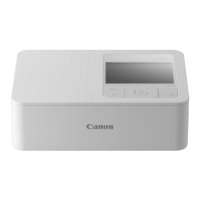
| Dimensions (WxDxH) | 178 x 127 x 60.5 mm |
| Connectivity technology | Wireless |
 Weight and Dimensions
| Depth | 127 mm |
|---|---|
| Width | 178 mm |
| Height | 60.5 mm |













 To Next Page
