2. Setting the Lens for Programmed AE
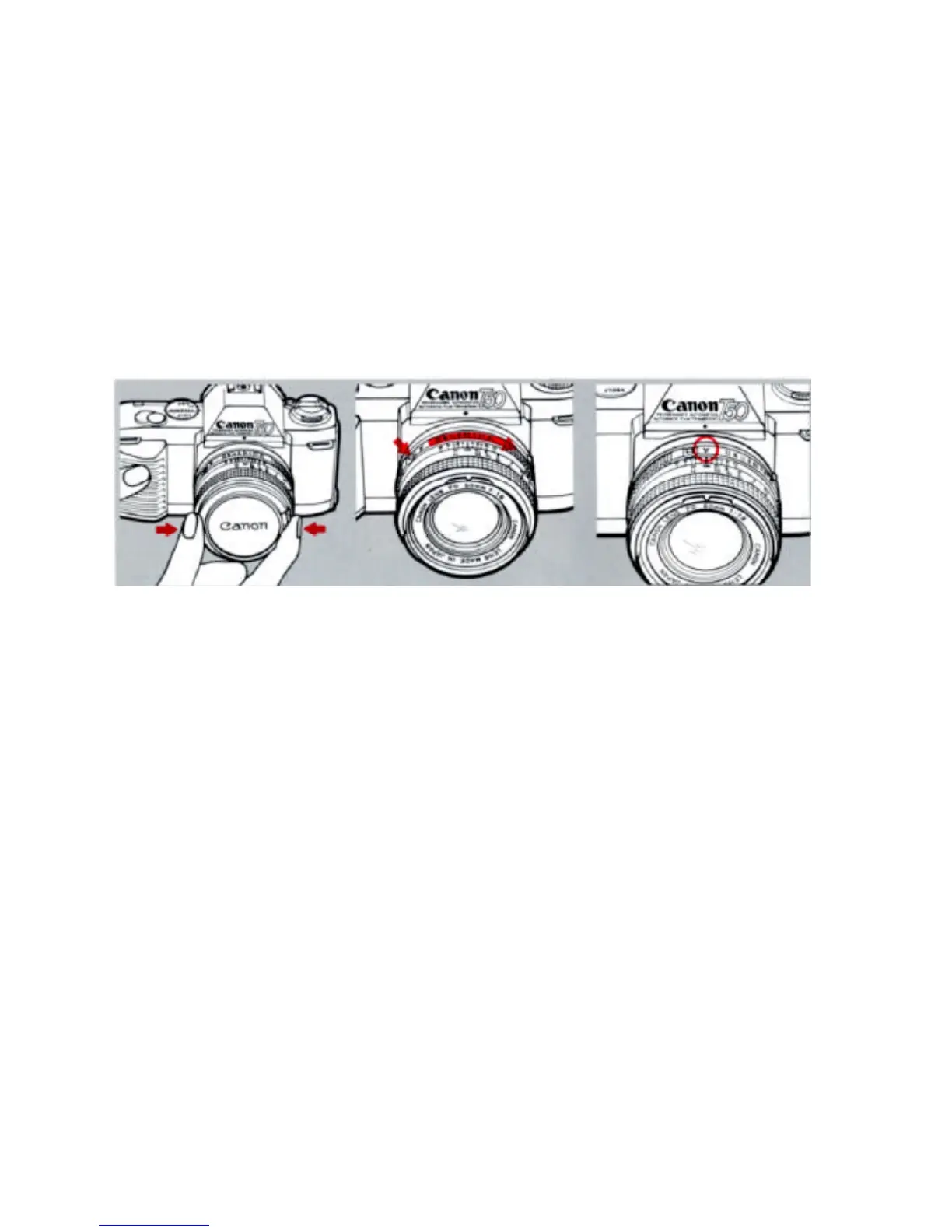
Remove the front lens cap
While pressing in the AE lock pin,
turn the aperture ring in the
direction of the arrow until "A"
click-stops at the distance index.
"A" will be in line with the red dot
on the camera. If you forget to do
this, automatic exposure will be
impossible. Since programmed
AE requires this setting, be sure
to always check that the lens is
set at "A"
If you disengage the aperture
ring from the "A" mark, the
camera's shutter speed will
remain set at 1/60 sec. At the
same time, a red "M" will appear
in the viewfinder when you
depress the shutter button
halfway.


 To Next Page