Remove Jammed Roll Paper
If roll paper jams, follow the steps below to remove jams.
1.
Turn off printer.
1.
Turning the printer off
2.
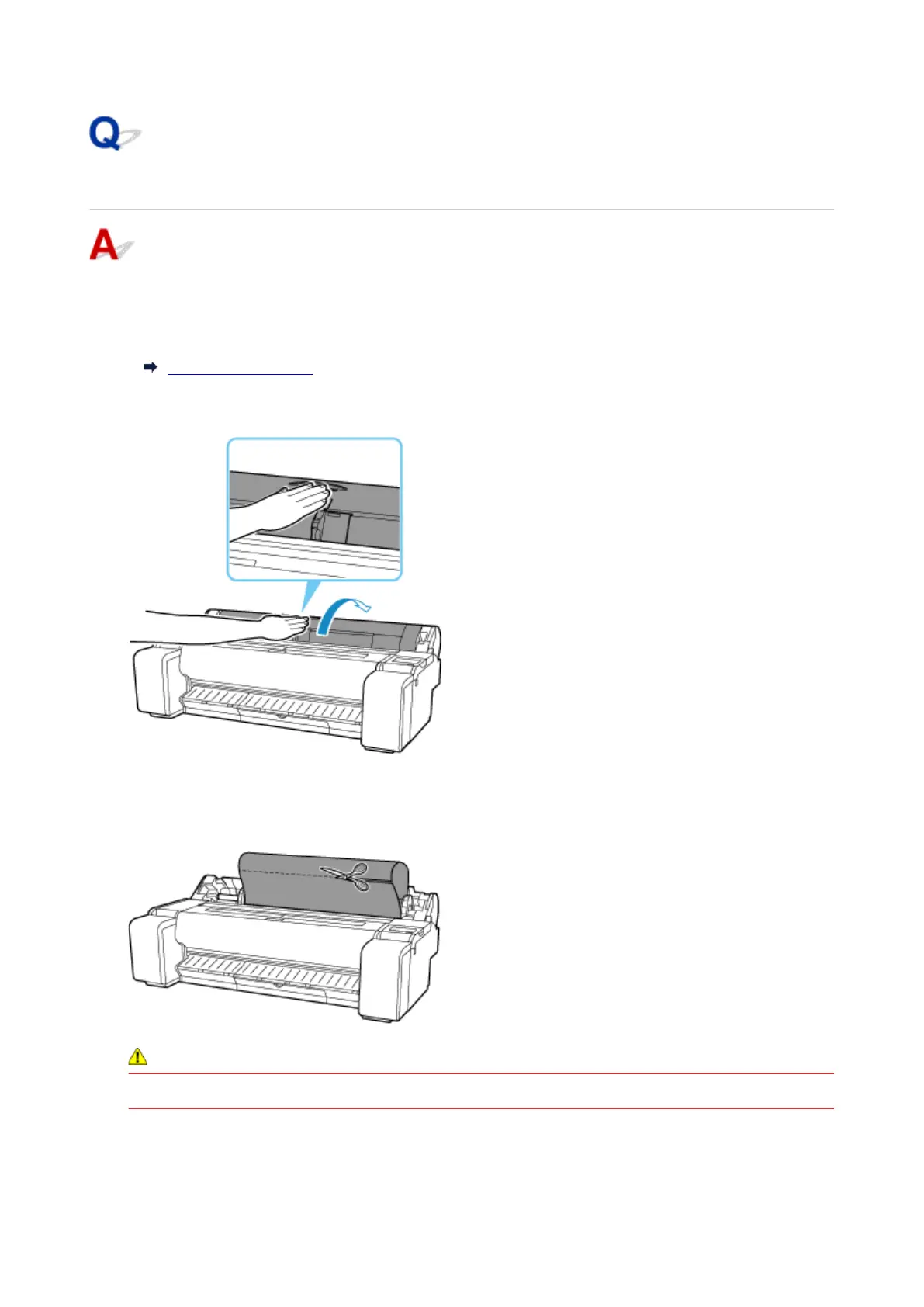
Positioning your hands as shown, open roll paper cover.
2.
3. Cut loaded roll paper with regular scissors or the like.3.
Before cutting, loose the roll paper and lift it up.
Caution
•
When cutting paper, be careful to avoid injury or damage to the printer.
4.
Holding it at the positions indicated, close roll paper cover.
4.
710




 To Next Page