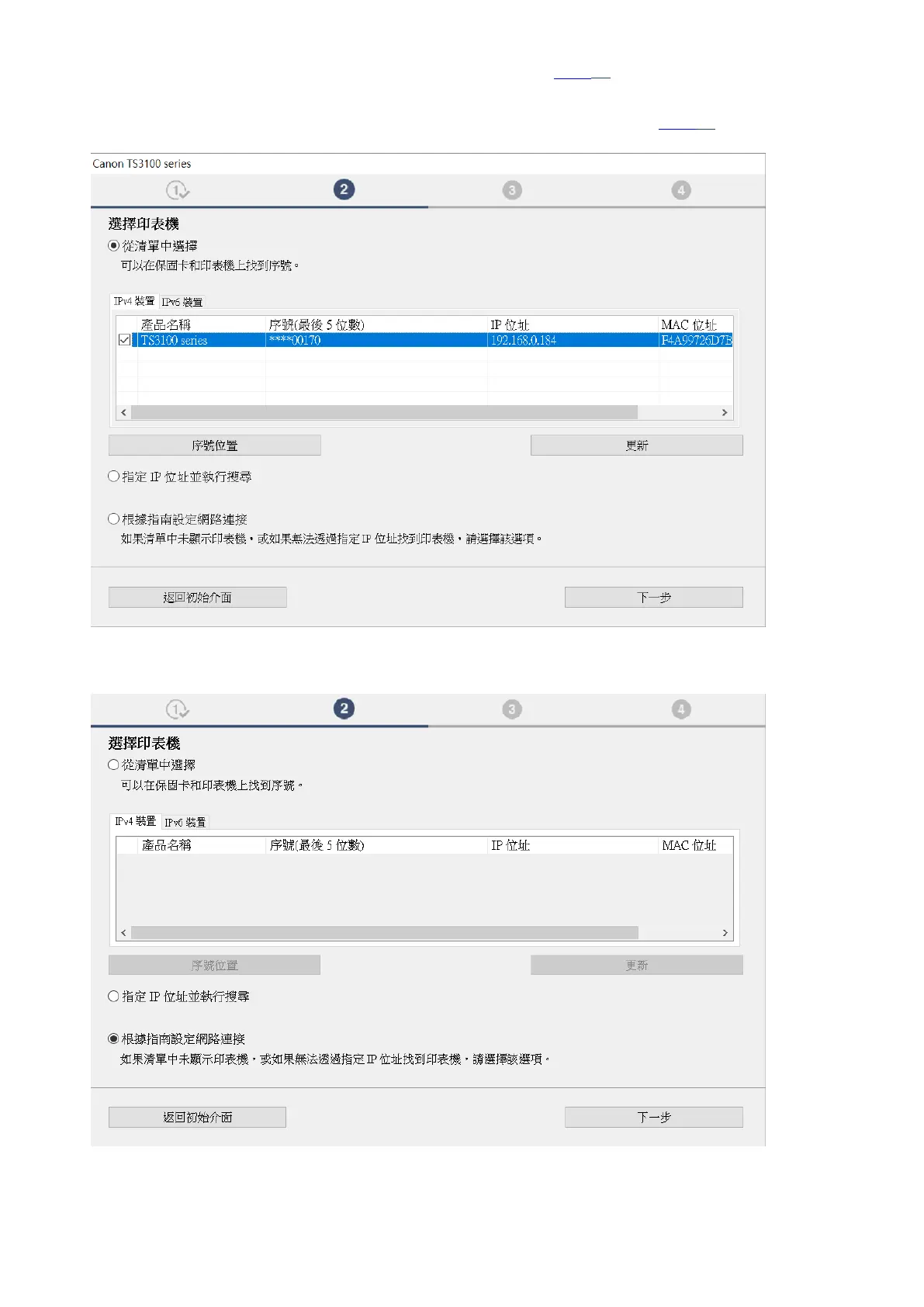
9. 如清單上有印表機,剔選印表機後按“下⼀步”,然後跳至步驟18。如清單上沒有印表機,則繼
續下⼀步驟!
If printer is on the list, select the printer, click “Next”, and then jump to step 18. Otherwise, go to
next step!
10. 確認已點選“根據指南設定網路連接”,然後按“下⼀步”!
Make sure “Set up the network connection according to the guide” is selected, and click “Next”!
!
!
!





 To Next Page