LCD and Operation Panel
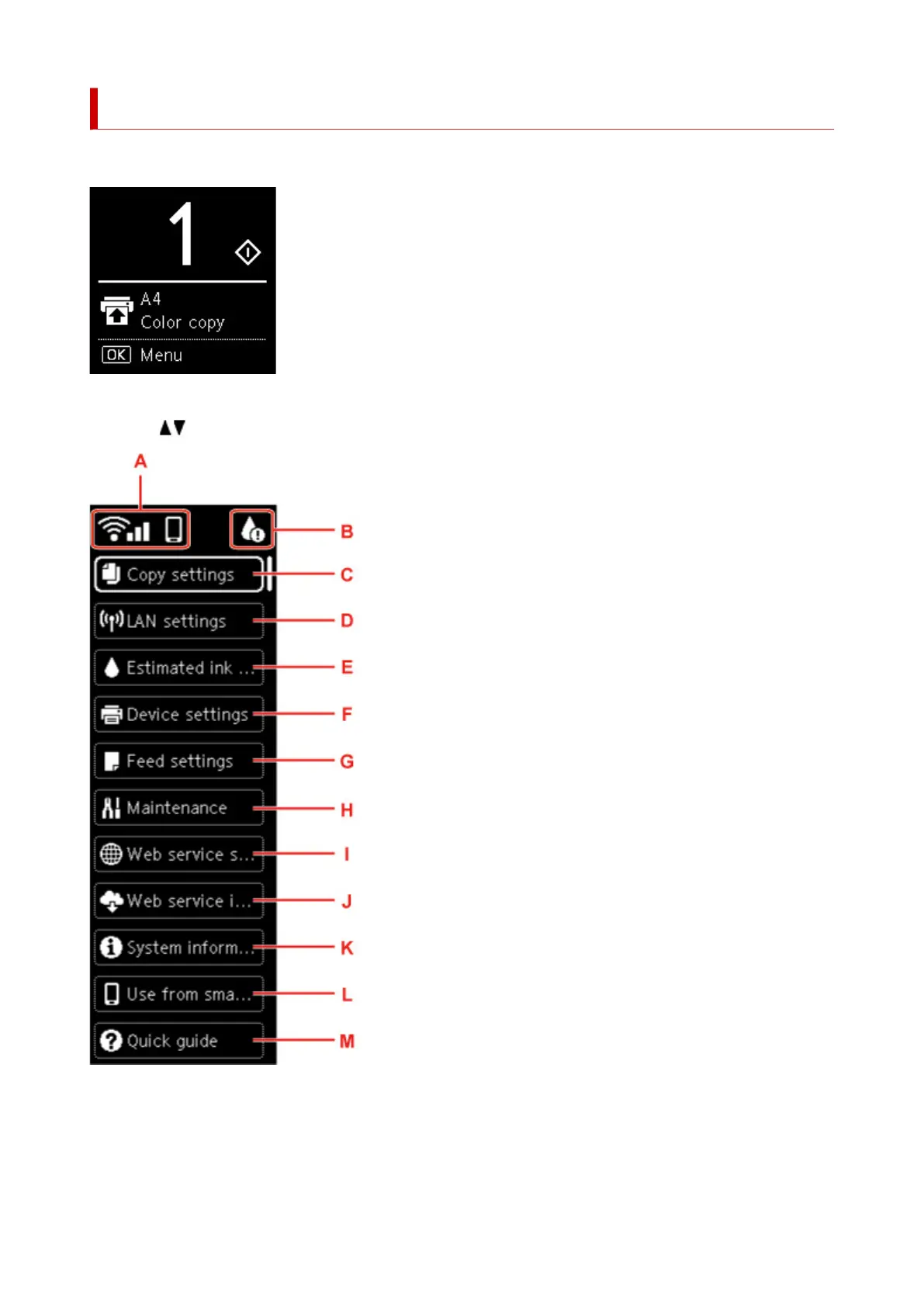
The HOME screen appears when the printer is turned on.
When you press the OK button in the Copy standby screen, the menu screen appears.
Using the button to select an item from the menu allows you to perform each setting.
A: Network
Displays network status by the icon.
The icon differs depending on the network of use or the network status.
166












 To Next Page