1304
Cause
Paper is jammed when performing automatic duplex printing.
What to Do
1.
Remove jammed paper.
•
If the paper is jammed at the paper output slot:
1300
•
If the paper is jammed inside the printer:
Paper Is Jammed inside Printer
•
If the paper is jammed at the feed slot of the cassette:
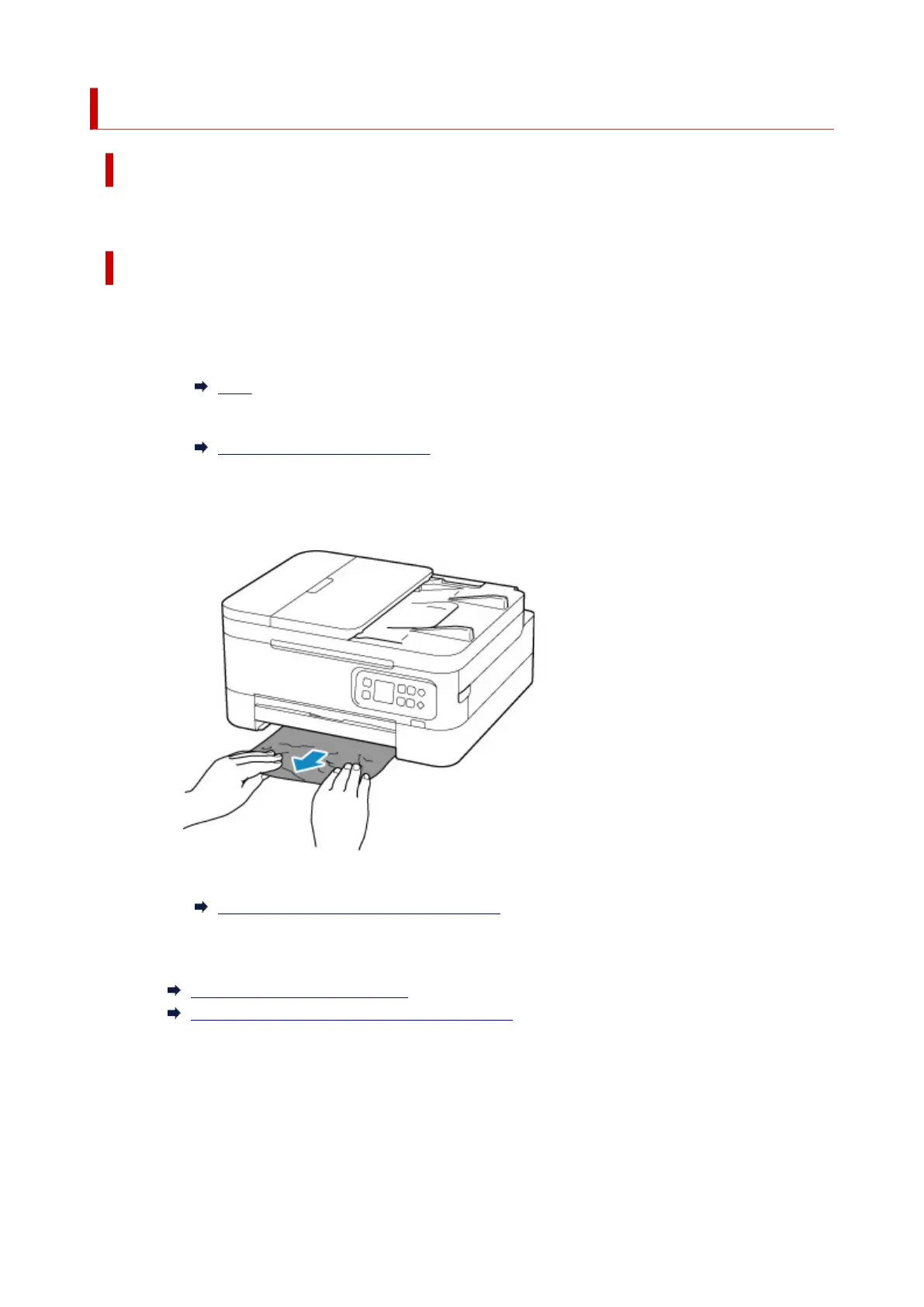
After storing the paper output tray and the paper output support, pull out the cassette and
remove the jammed paper slowly with both hands.
•
If the measures above do not solve the problem:
Removing Jammed Paper from Rear Side
2. Load paper properly.
Loading Plain Paper in Cassette
Loading Plain Paper / Photo Paper in Rear Tray
3. Press the printer's OK button.
The printer resumes printing. Reprint the page you were printing if it was not printed properly due to
the paper jam.
If the measures above do not solve the problem, contact your nearest Canon service center to request a
repair.
413












 To Next Page