10
2
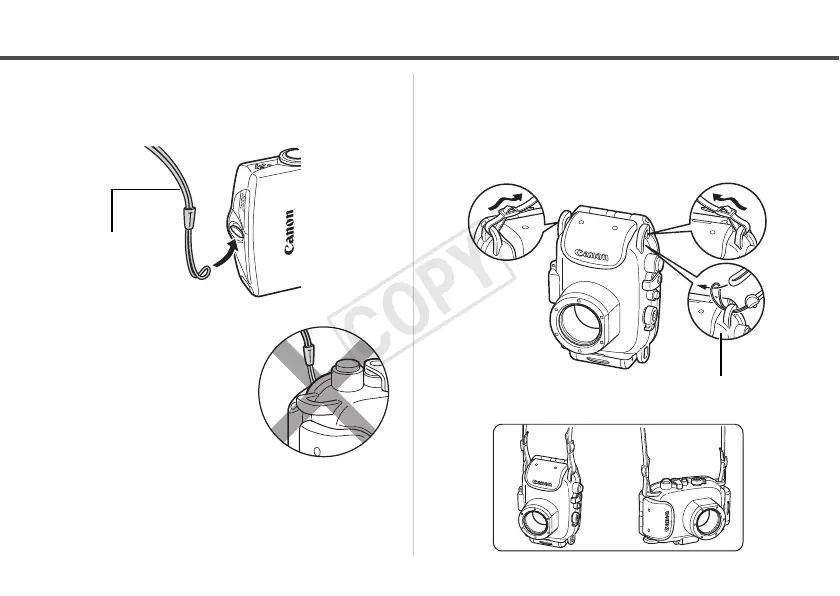
Remove the strap from the camera.
If you put the camera in the
Waterproof Case without
first removing the strap, the
strap may catch in the
waterproof seal when
opening or closing the
Waterproof Case. This can
cause leaks.
Preparing the Waterproof Case
3 Fasten both ends of the neck strap
to the strap mounts as shown, and
adjust it to a comfortable length.
When attaching the wrist strap
of the Waterproof Case



 To Next Page