9
Preparing the Camera
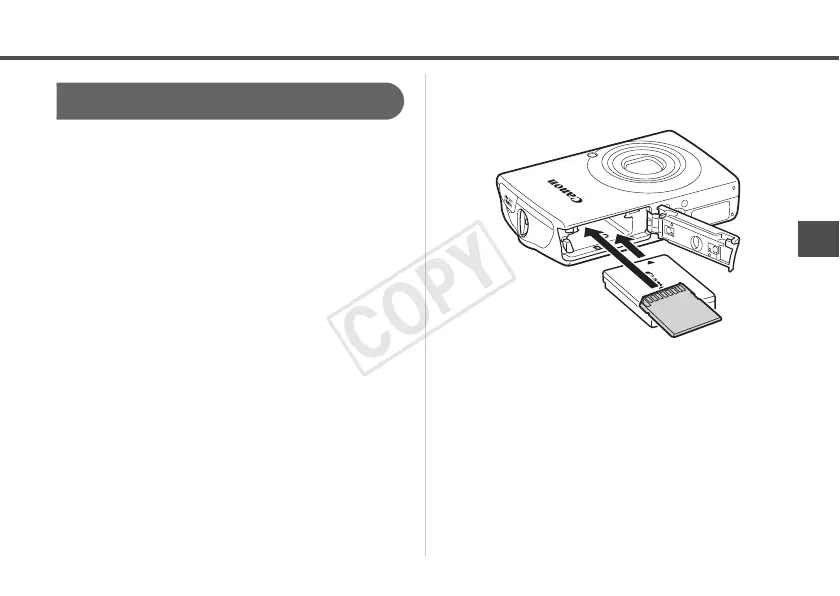
1 Insert the battery (Battery Pack
NB-5L), and the memory card.
• Please confirm the installation methods for
the battery and memory card in the Camera
User Guide for your camera.
• Use a battery that is adequately charged.
• Check the estimated capacity (recordable
images) of your memory card and ensure
there is enough storage space on the
memory card to record your images.



 To Next Page