97
Assignable Buttons
Menus
Table of Contents Index
Assignable Buttons
The camcorder conveniently features assignable buttons to which you can assign various functions. By
assigning often-used functions, you can quickly access them with a single press of a button.
1 Open the submenu of the desired assignable button.
[ System Setup] > [2] > [Assign Button 1], [Assign Button 2] or
[Assign Button 3]
• A list of available functions appears.
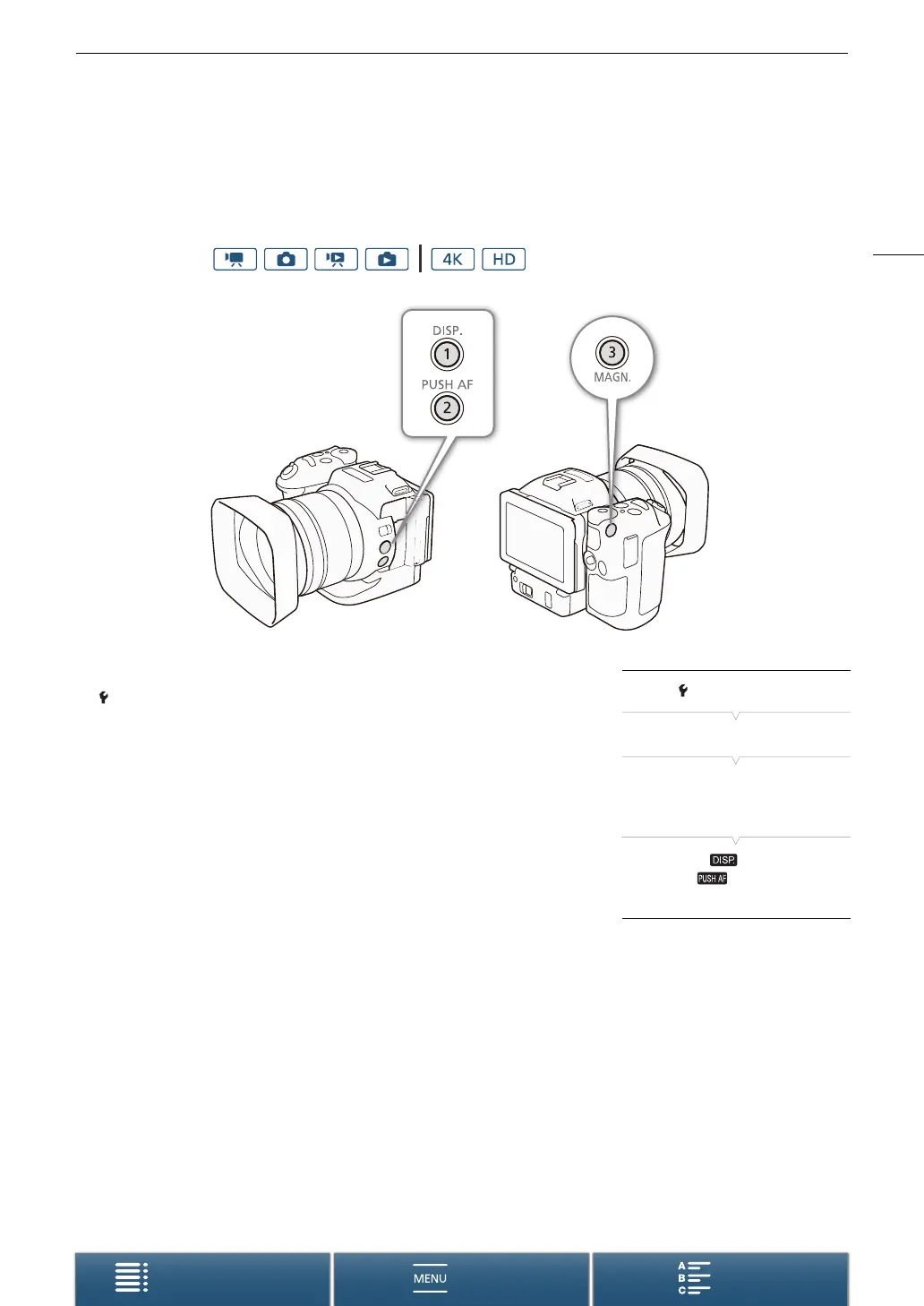
• The quick reference shows the default settings for each assignable
button. The label on the button also indicates the button’s default
setting.
2 Select the desired function and then touch [X].
Operating modes:
[ System Setup]
[2]
[Assign Button 1]
[Assign Button 2]
[Assign Button 3]
1: [ DISP.]
2: [ Push AF]
3: [^ Magnification]


 To Next Page