EN
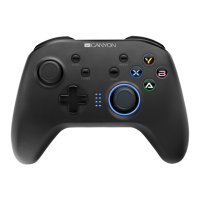
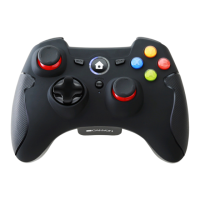
A Power or pairing button
B
The function keys: A, B, X, Y
They are used to control other actions of your role. It can be set in special
function according to different games.
C / F
Left joystick:
L3 button is left joystick button.
Right joystick:
R3 button is right joystick button.
D Button BACK
E Button START
G
Directional pad:
8-way point of view control button
H
Turbo button:
TURBO function keys
1. Hold the key which you want to set to turbo function, then press the turbo
key once to set. To clear, hold the key which you have set to turbo function, then
press the turbo key again
2. These buttons can be set to TURBO :A,B,X,Y,LB,RB,LT,RT,L3,R3.
I
Turbo LED:
TURBO function is activated, TURBO LED flashing.
J LB/RB buttons/triggers
K LT/RT buttons/triggers
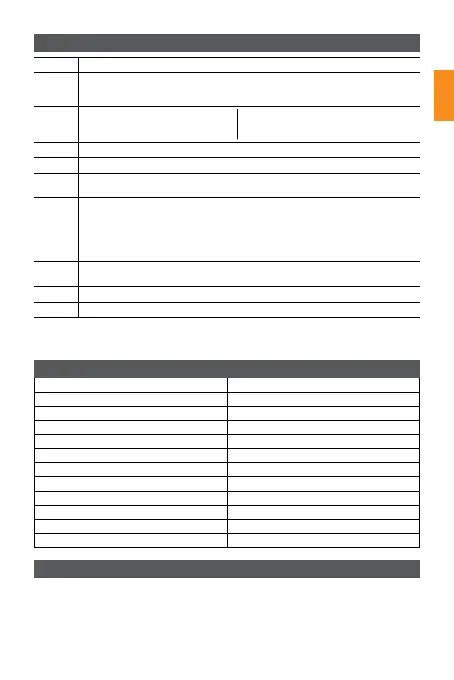
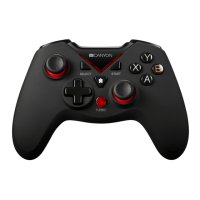
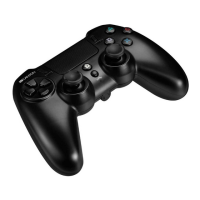
Device overview
Technical specifications
PS3 connection/pair Settings
Note: Linear pressure LT/RT buttons, according to the difference in button pressure,
produce different key effects such as speed and weight
Wireless technology 2.4 GHz
Operation range
Playing time more than 8 hours
Alkaline battery 2 PCS AA
Sleep current 40 mAh
Working current 13 mAh
Sleep time 5 minutes
Compatible with Windows XP, Win10, PS3, Android
Dimensions LWH: 108x148x65 mm
Weight 215 g
Operating temperature -20°C ~ 45°C
Operation humidity
1. Insert receiver into the PS3 console USB port.
2. The controller LED should turn off.
3. Quickly press the HOME button twice, 4 channel LED lights should flash .
4. When channel LED stays on, the connection is successful.


 To Next Page