~*CCWOP.
INC.
it&iR
VEL VS. CAPCOM
Z
-
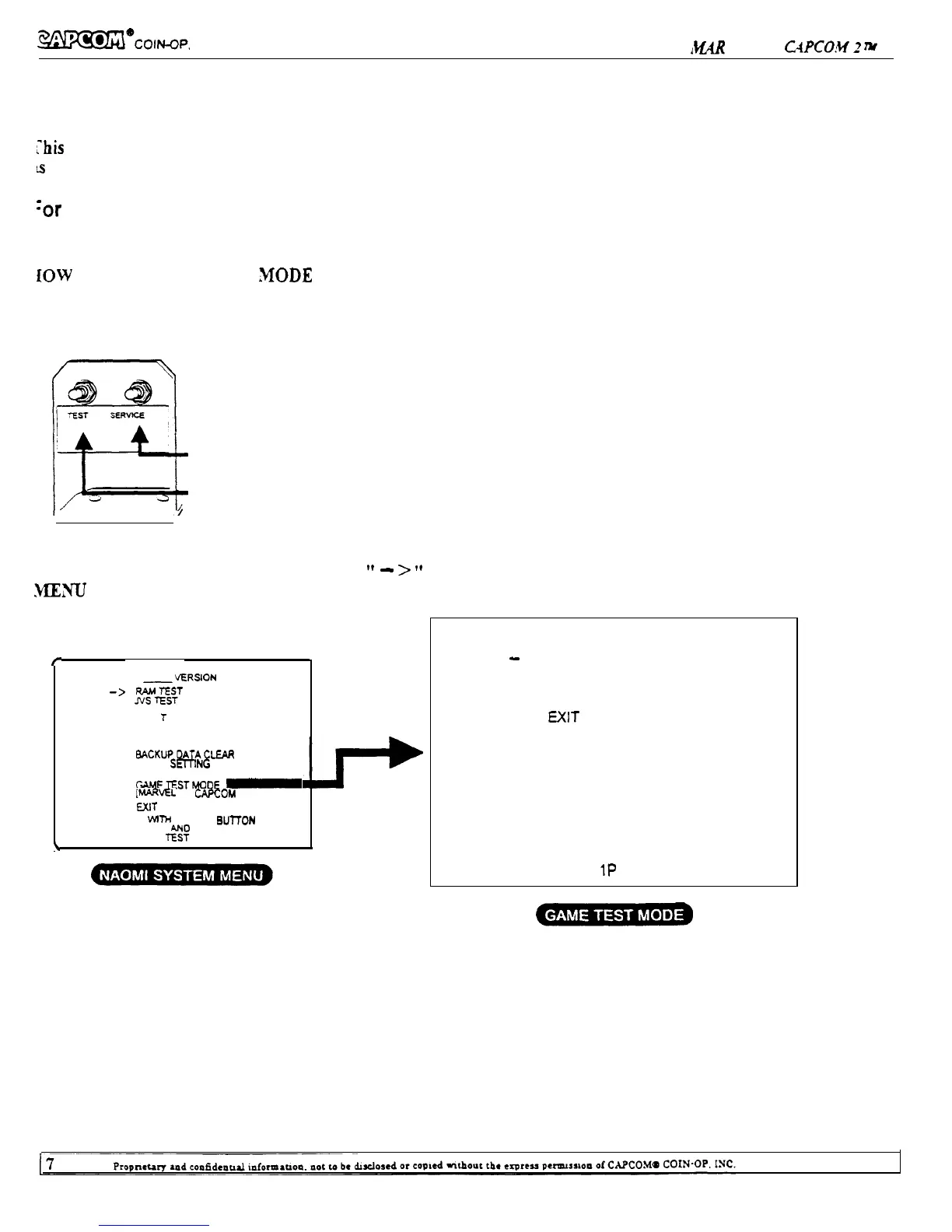
NAOMI SYSTEM TEST MODE
‘his test mode mainly allows the PC Board to be checked for accurate functioning, monitor color to be adjusted
s
well as COIN ASSIGNMENT AND GAME ASSIGNMENT to be adjusted.
‘or the details of “NAOMI SYSTEM MENU”, please refer to “NAOMI SERVICE MANUAL”.
iOW TO ENTER THE TEST
&MODE
For the details of
“NAOMI SYSTEM MENU”
Move the arrow (Cursor)
please refer to
Enter to selected item
“NAOMI SERVICE MANUAL”.
To enter the GAME TEST MODE, move the
”
-
>
”
cursor to GAME TEST MODE in the NAOMI SYSTEM
.kllCNU
and press the Test Button.
r
SYSTEM MENU
-VERSION
-->
%ZTT
SOUND TEST
C. R.
T
TEST
SYSTEM ASSIGNMENTS
COIN ASSIGNMENTS
BOOKKEEPING
BACKUPDATACLEAR
CLOCK
SmNG
ROM BOARD TEST
GAh4ETESTh4OOE
-
p4ARVEL vs. CAPCOM 2)
EXIT
SELECT MTH SERVICE BUlTON
PRESS Tit-% BUTTON
\
GAME TEST MODE
-
> INPUT TEST
GAME DATA
GAME CONFIGURATION
EXIT
SELECT = 1 P UP or DOWN
START =
1P
SHOT1


 To Next Page