EasyManua.ls Logo

capello CR220 - User Manual

capello CR220
16 pages
Print Icon
To Next Page IconTo Next Page
Loading...
CR220 user guide
with Dual Alarm Clock
Stand & Charge
USB Charging Station
Charge 3 mobile phones, tablets
& digital cameras including iPhone,
iPod, iPad and Android devices
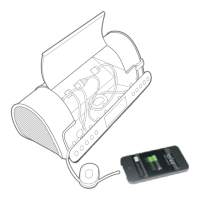
Keeps cables organized

Questions and Answers

Summary

Safety and Warnings

Electrical Hazard Precautions

Details risks of electric shock, advises against opening the unit, and refers servicing to qualified personnel.

Warning Symbol Interpretations

Explains the meaning of the lightning flash and exclamation point warning symbols.

FCC Radio Frequency Warning

Informs users about potential radio frequency energy generation and modification restrictions.

Regulatory Compliance and Usage Warnings

FCC Compliance Statement

Details FCC rules for digital devices and potential interference.

Environmental Hazard Warning

Warns against exposing the unit to rain or moisture to prevent fire or shock hazards.

Surge Protector Recommendation

Recommends using a surge protector for AC connection; notes surge damage is not covered by warranty.

Detailed Safety Precautions

General Handling and Environment

Covers avoiding water, ensuring accessibility, ventilation, and keeping away from flames and enclosed spaces.

Battery Handling and Disposal

Provides guidelines on battery type, polarity, mixing, leakage prevention, and proper disposal.

Initial Setup and Basic Operation

Package Contents

Lists the items included in the product box.

Connecting Power Source

Explains how to connect the AC/DC adaptor to the unit and a wall outlet.

Adjusting Audio Volume

Describes how to use volume buttons to set a safe listening level.

Battery Management

Installing Backup Batteries

Details the process for inserting AAA batteries for backup power and memory.

Battery Usage Guidelines

Outlines precautions for battery replacement, type, polarity, mixing, and storage.

Device Controls and Features

Main Unit Controls (1-18)

Identifies and describes primary buttons and ports on the unit, including USB and line-in jacks.

Device Rear and Display Indicators

Rear Panel Features (19-21)

Locates the battery compartment, DC power input, and wire antenna.

LCD Display Icons

Explains the meaning of various symbols and indicators shown on the LCD screen.

Radio Operation

Tuning and Playing Radio Stations

Details methods for selecting and listening to radio stations, including preset, scanning, and manual tuning.

Setting and Recalling Radio Presets

Guides users on how to save and retrieve favorite radio stations.

Optimizing Radio Reception

Provides tips for improving FM signal quality by managing antenna position and avoiding interference.

Charging and Cable Management

Triple USB Charging Ports

Describes the three USB ports and their charging capabilities for various devices.

Cord Management System (CMS)

Explains the built-in feature for storing and organizing excess cable lengths.

Alarm and Snooze Functions

Setting and Deactivating Alarms

Provides step-by-step instructions for setting, confirming, and stopping alarms.

Using the Snooze Feature

Details how to activate and adjust the duration of the snooze function after an alarm sounds.

Clock and Time Settings

Setting the Clock Time

Guides users on how to accurately set the current time on the clock.

Daylight Saving Time Adjustment

Explains how to activate or deactivate Daylight Saving Time, indicated by 'DST' on the display.

Personalization and Display Settings

Selecting Your Time Zone

Details how to choose the correct time zone for accurate clock display.

Adjusting Display Brightness

Describes the three levels of brightness available for the LCD display.

External Audio Input

Connecting External Audio Devices

Explains how to connect and use external audio sources via the 3.5mm AUX IN jack.

Troubleshooting and Specifications

Common Issues and Solutions

Lists typical problems with their causes and recommended solutions for the device.

Technical Specifications

Provides detailed technical data including power source, frequency range, and output power.

Customer Support

Contact and Website Information

Offers contact details, including website, email, and phone number for further assistance.

capello CR220 Specifications

General IconGeneral
Brandcapello
ModelCR220
CategoryBattery Charger
LanguageEnglish