Need help?
Do you have a question about the capello CR25 and is the answer not in the manual?
Details on risks of electric shock, uninsulated voltage, and hazardous laser radiation exposure.
Information on radio frequency energy, interference, and warnings against rain or moisture.
Details FCC rules for Class B digital devices and Canadian ICES-003 compliance.
Guidelines for laser safety and recommendation for surge protectors.
Covers reading instructions, heeding warnings, avoiding water, cleaning, ventilation, and heat sources.
Instructions regarding plugs, power cords, approved accessories, and professional servicing.
Covers battery handling, avoiding liquids, ventilation distance, and climate suitability.
Guide on setting volume for clear sound without distortion or hearing damage.
Lists decibel levels for various environments and dangerous noise exposure.
Instructions for connecting the AC/DC adapter to the unit and power outlet.
Guide on installing 'AAA' batteries for backup power and clock memory.
Important warnings regarding battery installation, type, polarity, and disposal.
Steps to power the unit on in radio or CD mode and turn it off.
How to increase or decrease volume using VOL +/- buttons, including continuous adjustment.
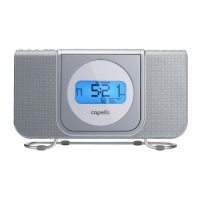
Identifies buttons and displays on the front of the CR25 unit (e.g., TIME, HOUR, ALARM, VOLUME).
Identifies rear/side components like antenna, jacks, battery door, and stand.
Instructions for manual tuning, auto tuning, and band switching (AM/FM).
Guide to saving favorite stations to preset channels using the PROGRAM button.
How the unit automatically searches and saves up to nine stations per band.
Instructions on how to recall saved radio stations using the PRESETS button.
Steps to play, pause, and stop a CD, and resume playback.
How to select specific tracks and cycle through play modes (Normal, Repeat, Random).
Guide to skipping tracks, searching within tracks, and programming a sequence of up to 20 tracks.
Instructions on how to clear programmed tracks from memory.
Step-by-step guide to setting the current time on the LCD display.
How to set alarm times and choose the wake-up source (CD, Radio, Buzzer).
Instructions for selecting a wake-up track from a CD.
How to stop the alarm or activate the snooze function for CD alarms.
Steps to select a radio band and station for the alarm.
How to silence or snooze the radio alarm.
Instructions for setting a buzzer alarm and using the snooze function.
How to set the unit to automatically turn off after a specified time.
Guide to adjusting backlight brightness and connecting external audio devices via AUX.
Details power source, speaker output, radio frequency ranges, and CD specifications.
Table listing common problems like unit not turning on, disc issues, no sound, and alarm failures.
 General
| Brand | capello |
|---|---|
| Model | CR25 |
| Category | Alarm Clock |
| Language | English |

 To Next Page