Using the appliance
1. Fill up the tank
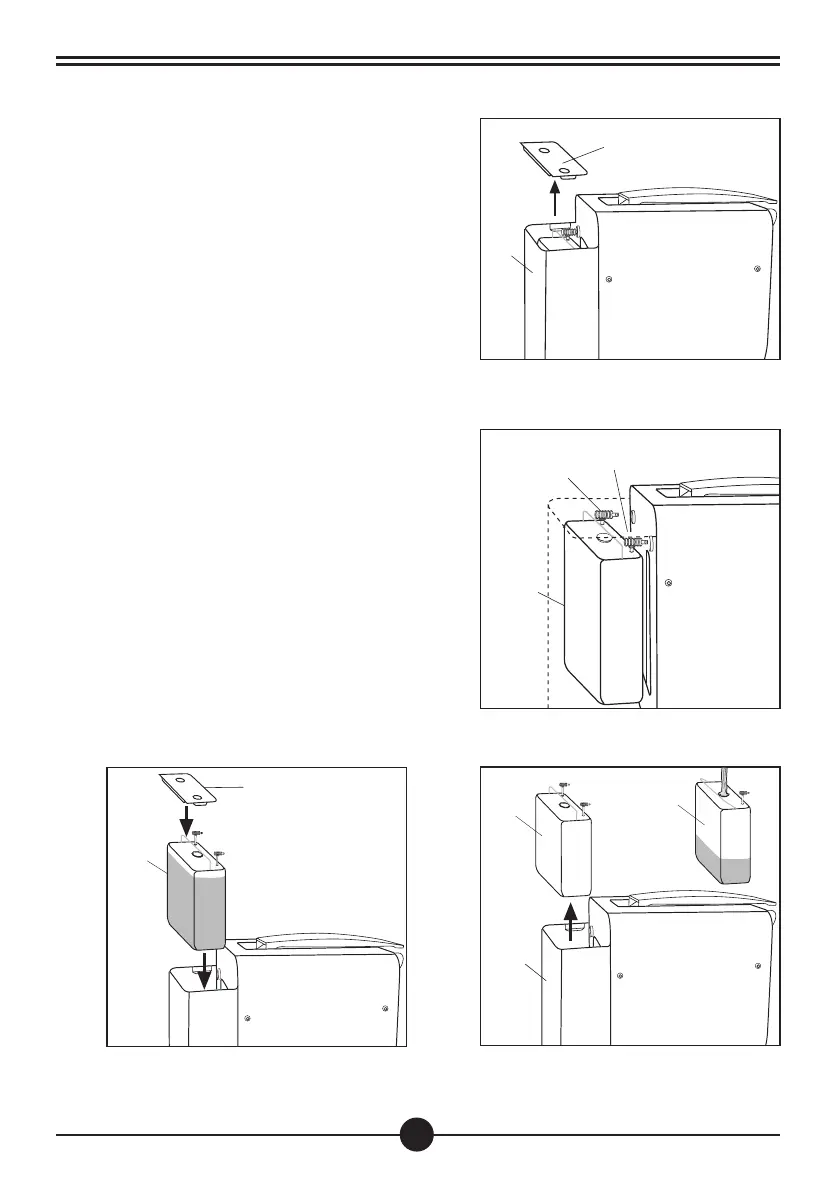
•Remove the water tank (8) metal cover (a)
(Fig. 1)
•Pull out the plugs (c) and (d) from their location
and remove the tank (b) (Fig. 2)
•Remove the tank (b) from the support (8) and
fill it up with fresh water (max. 3 litres). (Fig. 3)
•Reinstall the water tank and fit the plugs (c)
and (d) into their seats. Close the tank with the
cover (a). (Fig. 4)
23
8
b
b
a
Fig. 1
Fig. 3
Fig. 2
Fig. 4
a
8
c
d
b
b


 To Next Page