20 Instruction manual RFF731 Please keep this instruction manual for future reference
ECONOMY MODE
Purpose:
Energy saving. During periods of less frequent use (door opening) or
absence from home, such as a Holiday, Economy Mode can provide optimum
temperature whilst saving power.
How to use:
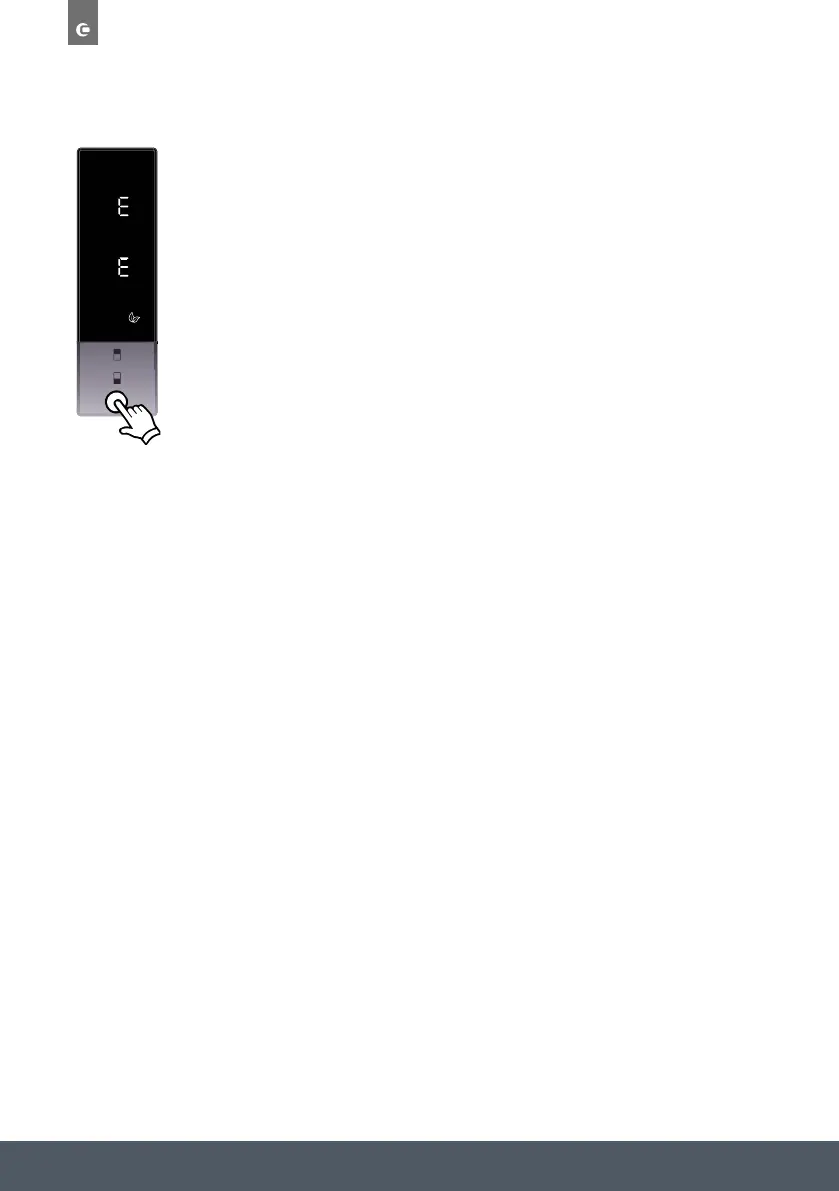
› Push the “mode” button until the ‘eco’ symbol appears.
› Eco symbol will blink 3 times. When mode is set, the buzzer will sound.
› Freezer and refrigerator temperature segments will show “E”.
› Economy symbol and E will light till mode finishes.
During this mode:
› Freezer may be adjusted. When Economy mode is cancelled, the selected
setting values will proceed.
› Fridge may be adjusted. When Economy mode is cancelled, the selected
setting values will proceed.
› Super Cool and Super Freeze modes can be selected. Economy mode is
automatically cancelled and the selected mode is activated.
› Holiday mode can be selected after cancelling the economy mode. Then
the selected mode is activated.
› To cancel, you will just need to press the “mode” button.



 To Next Page