Please keep this instruction manual for future reference Instruction manual TDI4000 27
WATER CONTAINER
The water removed from the laundry during the drying cycle is collected in a container inside the
door of the dryer. When the container is full the
indicator on the control panel will light, and
the container MUST be emptied. However we recommend that the container is emptied after each
drying cycle.
NOTE:
Very little water will collect during the first few cycles of a new machine as an internal reservoir is
filled first.
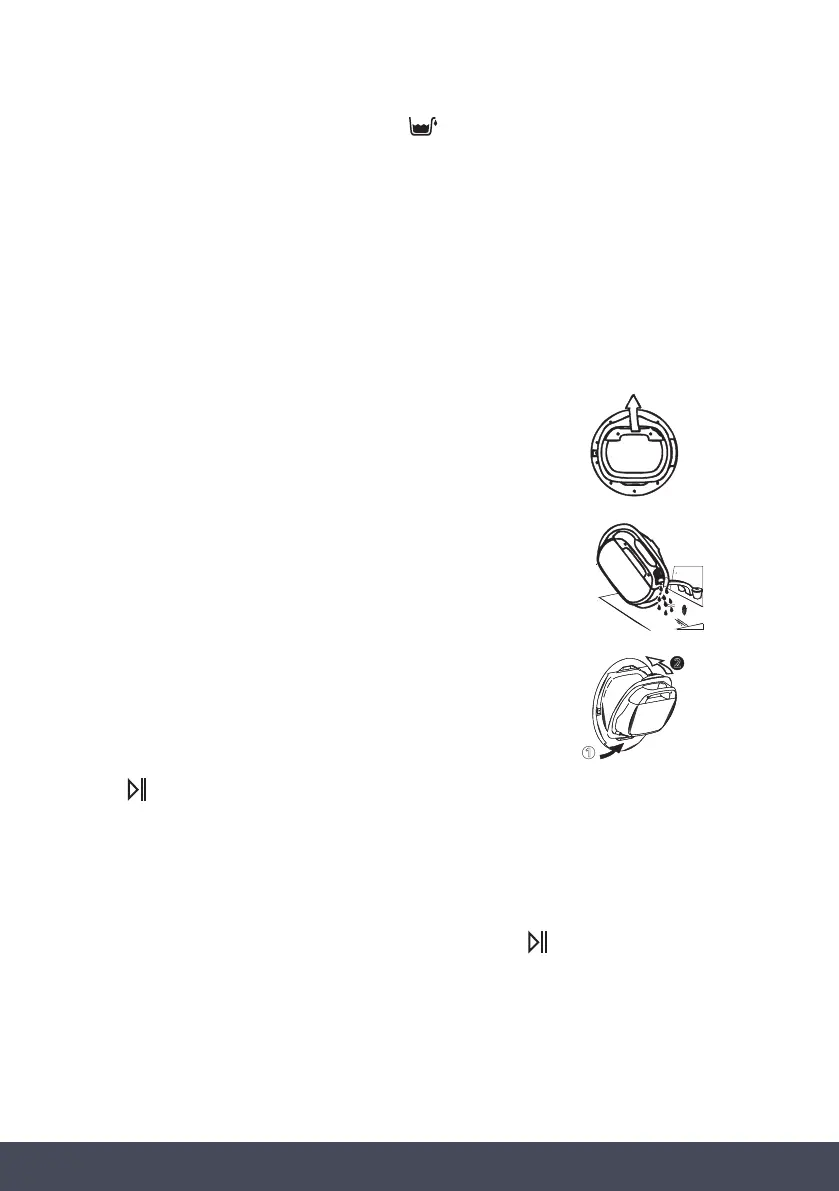
REMOVING THE CONTAINER TANK IN THE DRAWER
» Gently pull out the water container holding the handle. When
it is full the water container will weigh about 6kg.
» Tilt the water container to empty the water out through
the spout.
» When empty, replace the water container back as shown
below. First insert the base of the container into position as
shown (1) then gentle push the top into position (2).
» Press
button to restart the cycle.
DOOR AND FILTERS
Pull on handle to open the door.
To restart the dryer, close the door and press start/pause button
.
WARNING:
When the tumble dryer is in use the drum and door may be VERY HOT.
1
2


 To Next Page