Please keep this instruction manual for future reference Instruction manual TDI4000 29
CLEANING THE CONDENSER FILTER
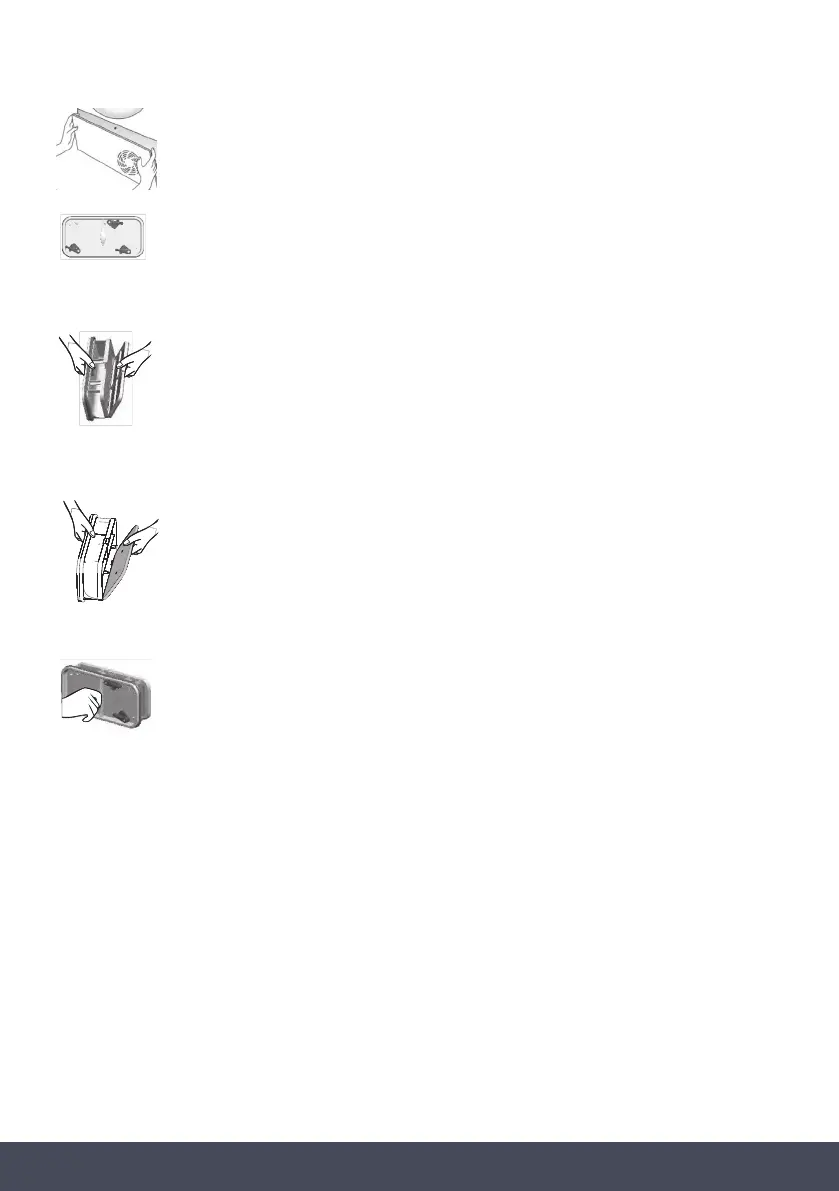
Remove the kick plate.
Turn the locking levers ant-clockwise and pull out the front cover.
Gently remove the filter frame and clean any
dust or fluff with a cloth from the filter.
Do not use water to clean the filter.
Remove the sponge gently from it’s place and then
wash the sponge by holding it under a running tap
turning it so to remove any dust or fluff.
Refit the front cover ensuring it is in the correct way
(as indicated by the arrow) and pushed firmly into place.
Lock the levers by turning them clockwise.
Refit the kick plate.
WARNING:
Clean the filters before every cycle. Overloading or a bulk load can lead to door opening. In this
case reduce the load capacity to continue the drying cycle.


 To Next Page