Operating your wine cabinet and setting the temperature
Please use the cabinet within a ambient temperature of 5-32 ºC, if the ambient
temperature is higher or lower than this, it will cause the temperature to fluctuate in the
cabinet, meaning it may not be able to reach 5-18 ºC.
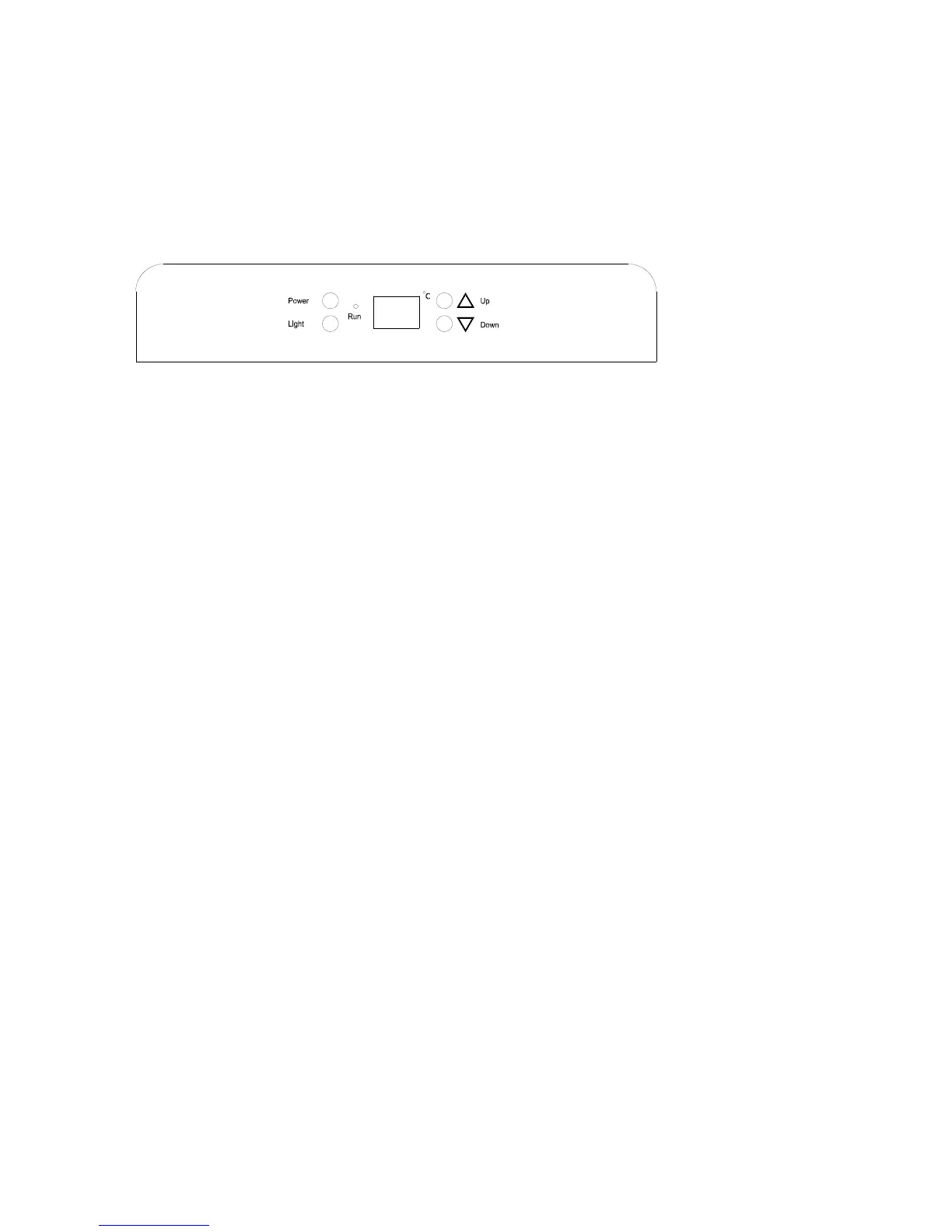
Control panel
• “Run”
The indicator light illuminates to signify the cooling mode is currently in operation.
• “Light “Button
Switches the inner light turn on/off.
• “Power” Button
Is used to switch this appliance on/off (press and hold this buttons for approximately
3 seconds).
• “Up” Button
Is used to raise the temperature in increments of 1ºC.
• “Down” Button
Is used to lower the temperature in increments of 1ºC.
Setting the temperature controls
• To set the temperature, connect the power cord to a properly grounded outlet. In the event of
power interruption, the previous temperature setting is automatically erased and it will default
to a preset temperature setting of 7°C for the left compartment and 12°C for the right
compartment.
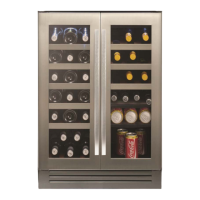
• Each cooling compartment of the wine cabinet (left and right) is independently controlled.
• Set the desired cooling temperature by pressing the buttons adjacent to the “UP/DOWN"
indicators. Each depression of the buttons will scroll through the available temperature setting
in increments of 1 degree.
• The temperature setting can be adjusted from 5°C -18°C
• To view the actual temperature at anytime press and hold the temperature adjustment button
(up or down) for approximately 5 seconds, the actual temperature will temporarily flash in the
LED display for 5 Seconds. After this it will revert back to the set temperature.
Flashing LED = Cabinet temperature
Steady LED = Set temperature
5


 To Next Page