8 CaptionCall
Step 5: Identify the parts of the phone (Part 2).
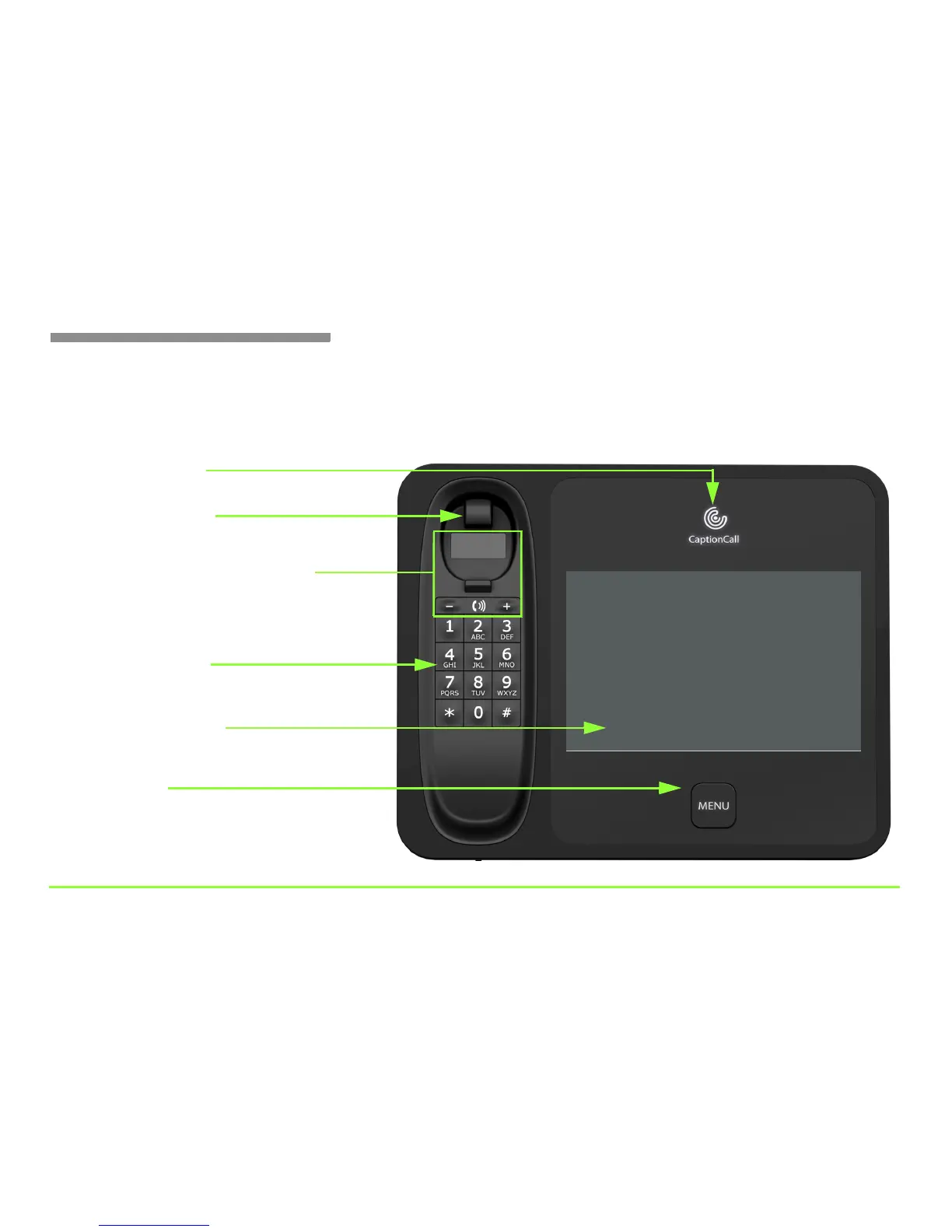
Now look at the front side of the phone. Notice the CaptionCall light, the
touch screen display, and the Menu button. The cradle area contains the
switch hook, volume control, and warning light above the keypad.
CaptionCall light
Telephone keypad
Menu button
Touch screen display
Shows if the captioning service is on or off
Shows captions and interface to phone features
Press to access the phone’s features
Works just like a regular telephone
Handset volume controls and light
Press + for higher volume or — for less volume
Display lights up to warn if volume is set too high
Switch hook button
Press to hang up a call



 To Next Page