setup guide 9
Make Your Wiring Connections (Part 1)
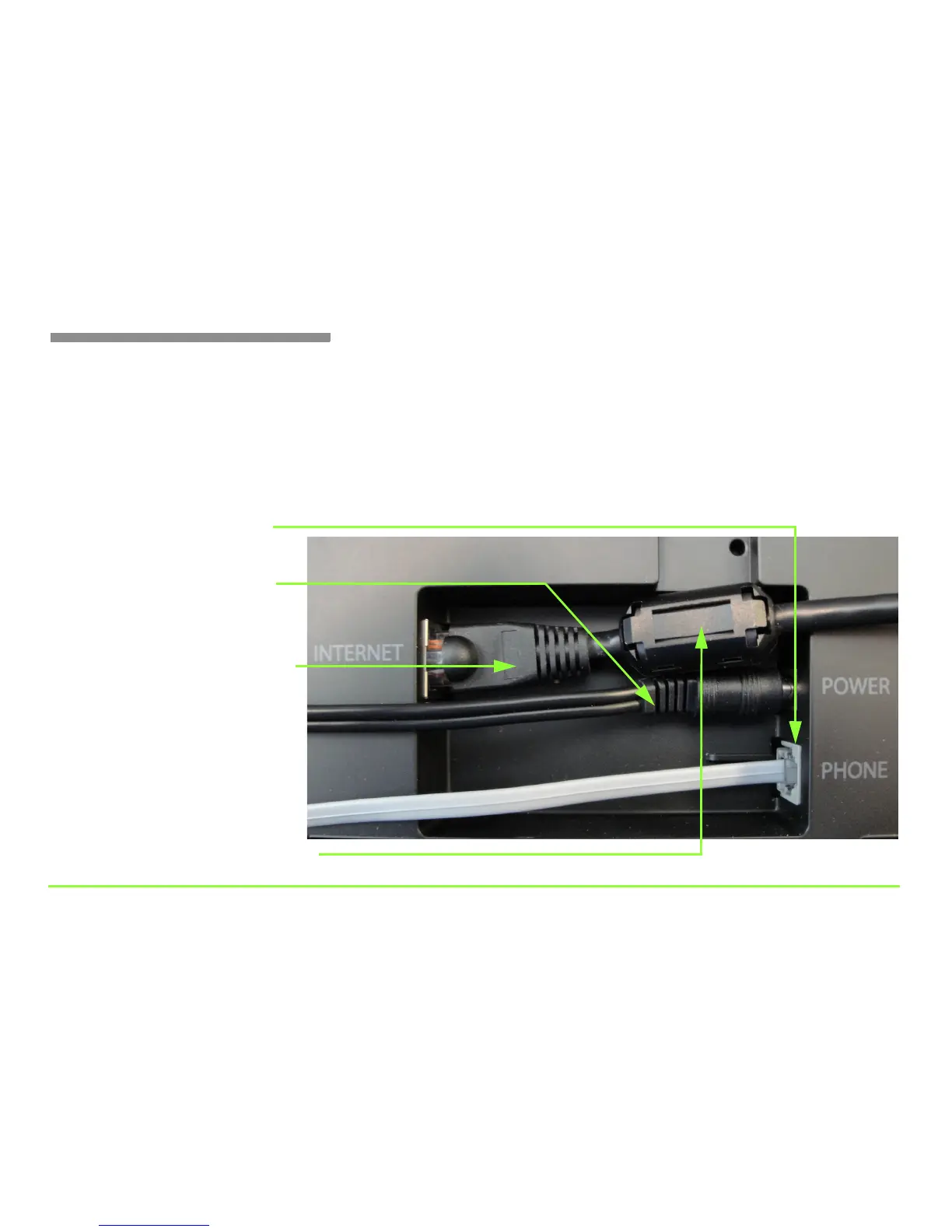
The picture below shows a close-up view of the phone’s back panel. The
numbered steps next to the picture show where to connect the cables.
Find the provided cables, then make the connections. Notice that a small
black ferrite filter is attached to one end of the Ethernet cable. Connect
that end of the cable to the Internet port on the back panel of the phone.
Step 1 — Plug in the phone line
Step 2 — Plug in the power cord
Step 3 — Plug in the Ethernet cable
Note: If you plan to use wireless, you will
not need to attach the Ethernet cable.
Ferrite filter attached to Ethernet cable
Note: The actual power connector may
look slightly different than shown here.



 To Next Page