
 Need help?
Do you have a question about the CaptiveAire DI-PSP and is the answer not in the manual?
Connect the radial damper to the top side of the neck, excluding DI-RETURN models.
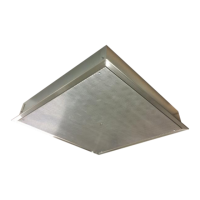
Place the plenum into the desired location within the 24" x 24" T-bar ceiling grid.
Use 12 SWG steel wire to support diffuser corners, with two diagonal corners supported by ceiling joists.
Attach supply duct using a steel clamp or 16 SWG wire, ensuring no interference with damper operation.
Access and adjust the sliding radial damper via the bottom perforated panel using a screwdriver or socket.
Regularly clean the plenum and perforated face with a damp cloth, removing screws for face cleaning.
 General
| Model | DI-PSP |
|---|---|
| Category | Fan |
| Airflow | Varies based on configuration |
| Static Pressure | Varies with model size, see performance data |
| Horsepower | Varies with model size |
| Construction | Galvanized steel housing |

 To Next Page

