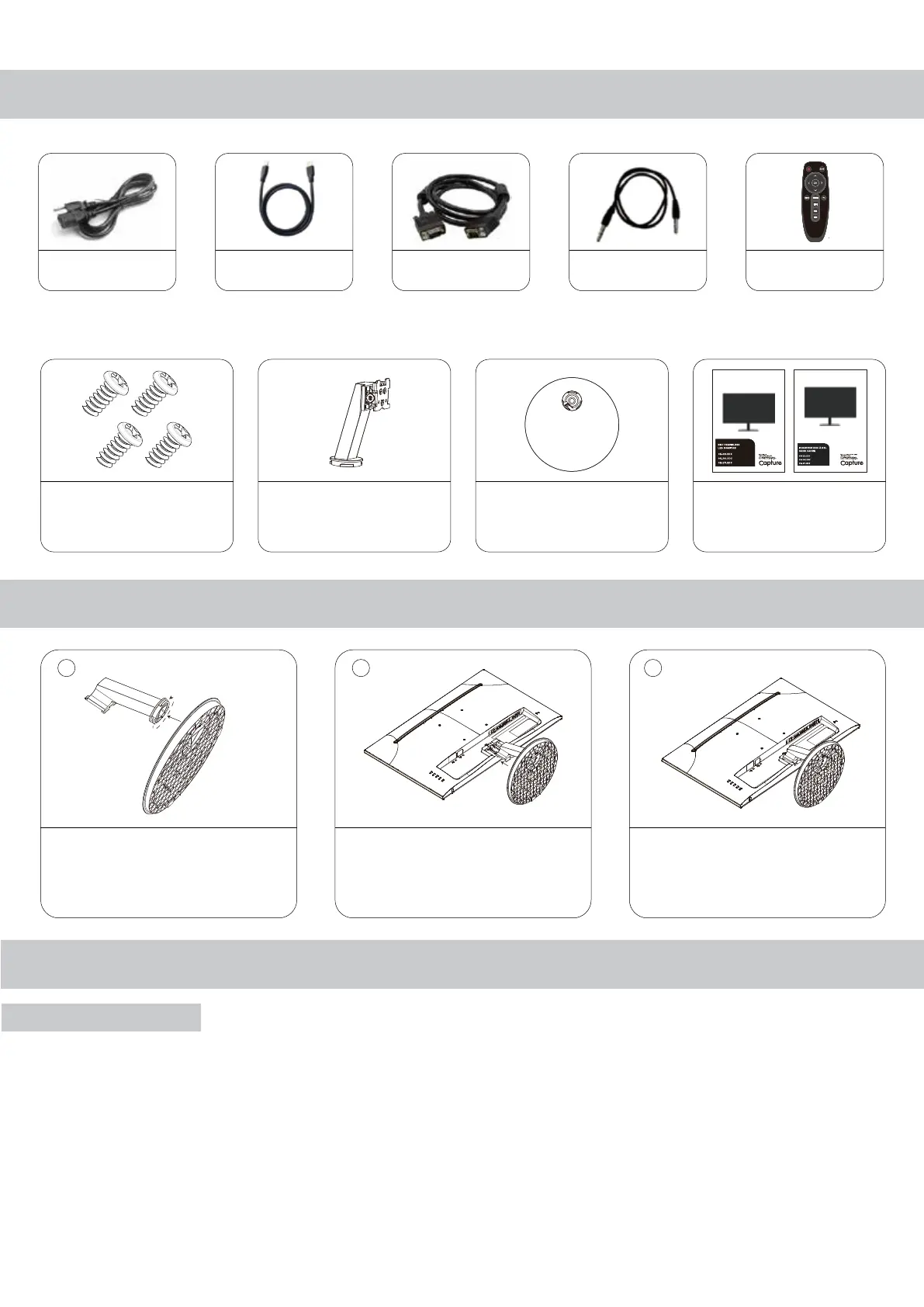
Accessories
Power Indicator / Modes of Operation
Attaching the Stand
LED is o when power is o, LED glows blue when power is on, LED glows red
when monitor is in sleep/standby mode. The power management feature of the
monitor is designed for security surveillance applications. When there is no
video, the monitor remains ON to be instantly ready to display video when the
source is changed or if a PC changes state from sleep/standby to active mode.
A floating “No Signal” box moves slowly across the screen until video is restored.
Assemble the monitor stand: Place the
end of the bracket into the corresponding
slot on the base and turn clockwise to
lock. Confirm that the bracket is firmly
attached to the base.
Lay the monitor on a stable, flat
surface, protecting the screen with a
soft cloth. Align the bracket with the
slot on the back of the monitor and
slide into place; the bracket will snap
into place with a clicking sound.
Confirm that the monitor is firmly
attached to the base. Then install in the
desired location.
LED Indicator
12
Monitor Mounting Screws
Type: Metric M4-L8 mm
Qty: 4
1
Stand Support
Qty: 1
Base Of Stand
Qty: 1
User Manual
Qty: 2
2 3
Power Cable
Qty: 1
HDMI Cable
Qty: 1
VGA Cable
Qty: 1
Audio Cable
Qty: 1
IR Remote
Qty: 1



 To Next Page