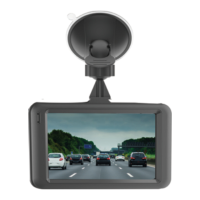
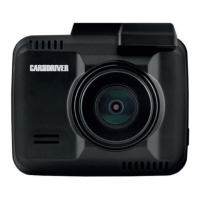
Need help?
Do you have a question about the Car and Driver ZX-1222 and is the answer not in the manual?
Read and follow all warnings and instructions for safe operation of the device.
Details and identification of all parts and accessories included with the device.
Instructions for attaching the device to the vehicle's windshield using the suction cup mount.
How to connect the device to the car's power outlet using the power cable.
Initial steps for preparing and connecting the rear camera unit.
Instructions for connecting the rear camera via extension cable and mount.
Steps for mounting the rear camera on the inside of the rear window using adhesive disks.
Instructions for mounting the rear camera using the headrest elastic band.
Detailed steps for attaching the rear camera to a vehicle headrest.
Procedures for turning the device on manually or automatically, and powering it off.
Overview of icons and features available in the main menu for device operation.
How to access and manage recorded videos and images in the playback folder.
Accessing and configuring various device settings like resolution, exposure, and volume.
Enabling and configuring advanced driver assistance systems like G-sensor and collision warnings.
Detailed explanation of Forward Collision Warning and Lane Departure Warning systems.
Includes FCC compliance statement and contact information.
Details of the product's limited warranty coverage, terms, and conditions.
Specific exclusions from warranty coverage and the process for submitting a warranty claim.
 General
| Brand | Car and Driver |
|---|---|
| Model | ZX-1222 |
| Category | Dash Cameras |
| Language | English |

 To Next Page