Need help?
Do you have a question about the Car and Driver CDC609 and is the answer not in the manual?
Lists the items included in the product packaging.
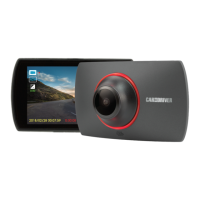
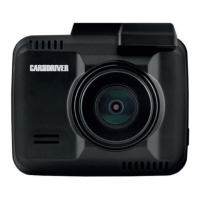
Identifies and defines the device's buttons and external components.
Instructions for inserting a compatible TF memory card into the device.
Guide on how to attach the dash cam securely to the vehicle's windshield.
Steps for connecting the dash cam to the vehicle's power outlet.
Explains how to power the dash cam on, off, and perform a restart.
Guide to setting the correct date and time for accurate recordings.
Explains the default automatic recording feature and how to start/stop it.
Instructions on initiating manual recording for specific moments.
How to switch to photo mode and take pictures.
Steps to enter playback mode and review recorded videos and photos.
Transferring recorded files to a PC for backup and playback.
Using the dash cam as a secondary webcam for your computer.
Recommends formatting the memory card periodically and how to do it.
Configuration options for video resolution, clip length, EV, motion detection, timestamps, and voice recording.
Settings for photo resolution (pixel size) and exposure value.
Options for managing recorded files, including lock/unlock, delete, thumbnail view, and volume.
System configurations including date/time, auto power off, language, light frequency, reset, and firmware version.
 General
| Brand | Car and Driver |
|---|---|
| Model | CDC609 |
| Category | Dash Cameras |
| Language | English |

 To Next Page