4-4 System Settings
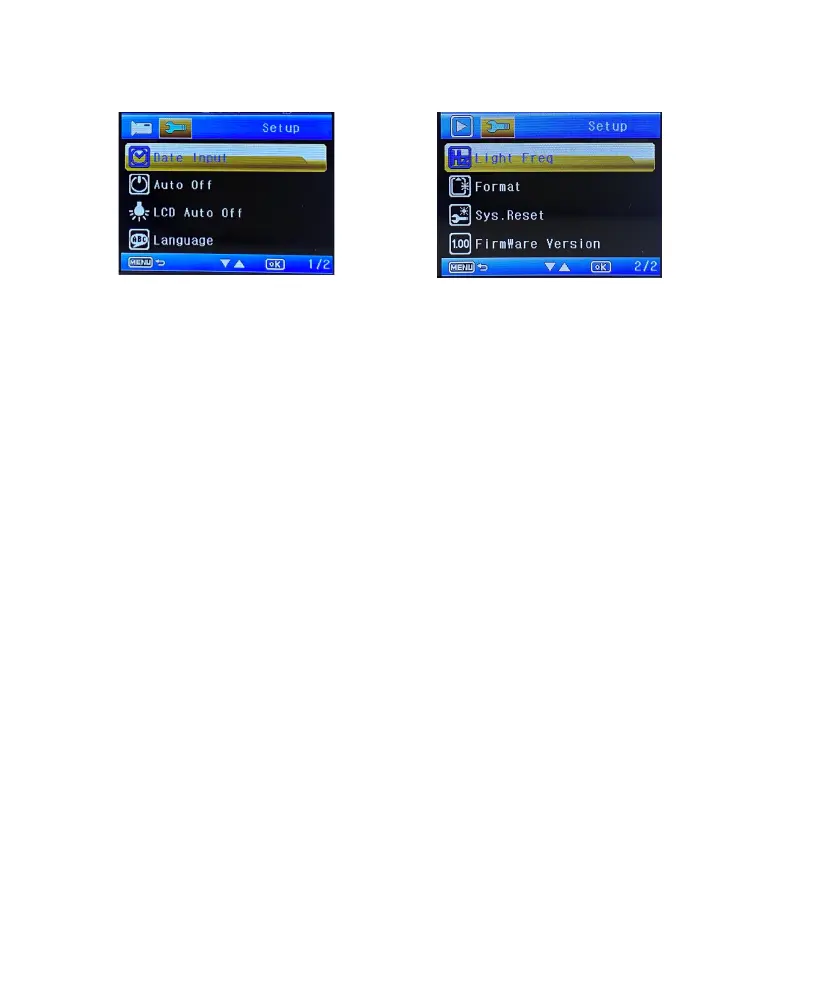
Date Input
Set the system date and time.
Auto O
Set the Auto O time (O, 1 Min., 3 Min.) in standby mode. If you set the Auto O time to 3 min-
utes, the Dash Cam will automatically turn o after 3 minutes of inactivity.
LCD Auto O
Set the LCD Auto O time (O, 1 Min., 2Min., 3 Min.) in standby mode, If you set the LCD Auto O
time to 3 minutes, the Dash Cam display will automatically turn o after 3 minutes of inactivity.
Language
Set the system language.
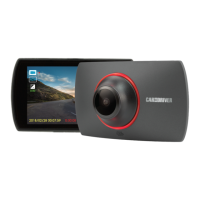
Light frequency
Set the Light frequency (50Hz, 60Hz).
Format
Format a memory card (All data will be erased).
System Reset
Restore the system settings to factory defauts.
Firmware Version
Display the system firmware version.
In standby mode, press the Menu button twice to enter system settings.
11 EN


 To Next Page