1. Basics
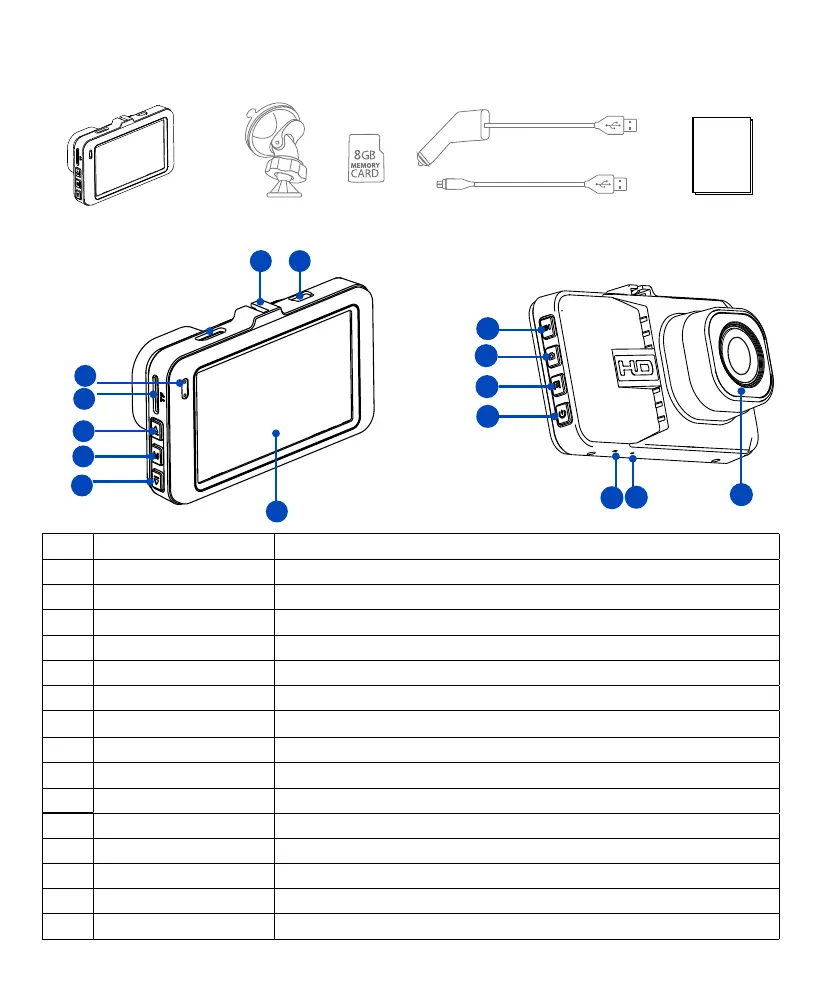
1-1 In the box
1-2 Buttons and Parts
Front
View
Rear
View
13
14
15
11
9
10
12
12
3
4
5
6
7
8
No. Definition Description
1 Mini USB port For DC power input or connecting to computer
2 Mounting Slot For mounting the device on your car’s windshield
3 LED Indicator Indicates the device operating status
4 TF Card Slot Slot for included memory card
5 Up button Press to skip to next item
6 Menu button Press to display setting menu
7 Down button Press to skip to previous item
8 Display Displays the recorded or captured contents
9 OK button Press to confirm a selection or Stop recording.
10 Mode button Press to toggle between Recording/Photo/Playback mode.
11 Lock button Press and hold to save the current recording video as undeletable file.
12 Power button Press and hold for 1 second to manually turn the device on/o.
13 Reset button Press to restore all the system settings to factory defaults.
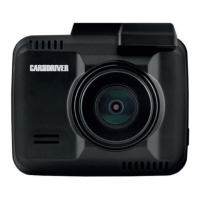
14 Microphone Input Records audio along with video.
15 Camera Lens Front facing camera for video recording.
3 EN
User Manual


 To Next Page